Skip to content

Minecraft launcher + PvP mod

The free Minecraft client that goes fast.

A launcher that sets everything up for you, and an in-game mod with 67 modules, from 1.8.9 to 26.3. Premium or non‑premium, everyone plays.

  • Free
  • Windows, macOS and Linux
  • Updates itself
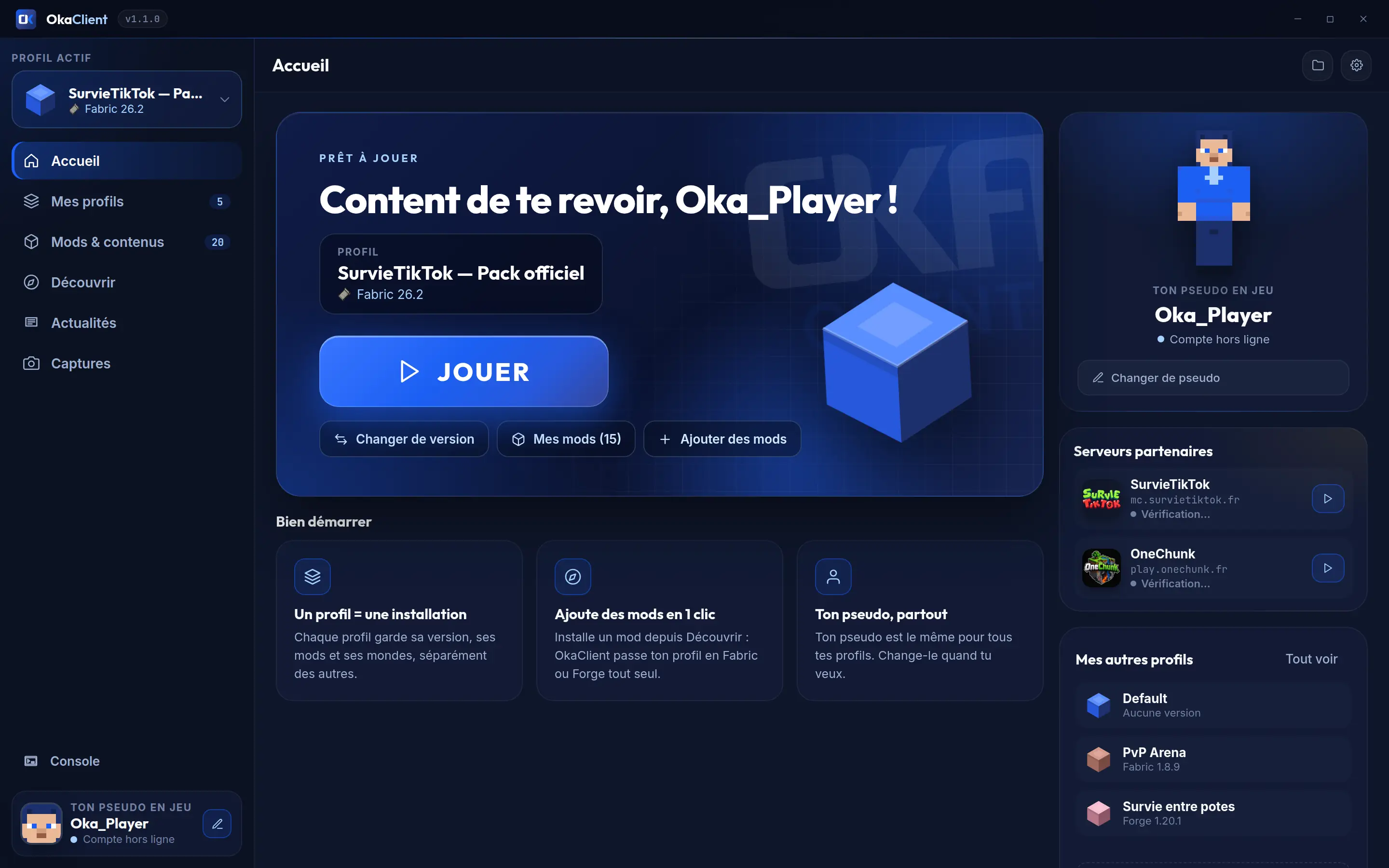
OkaClient Minecraft launcher home screen: active profile "SurvieTikTok — Pack officiel" on Fabric 26.2, big PLAY button, the player's name and partner servers
Real launcher screenshot

OkaClient in numbers

  • 67 modules in the OkaClient mod
  • 5 loaders: Vanilla, Fabric, Forge, NeoForge and Quilt
  • 3 languages: French, English, Spanish
  • 33 Minecraft versions for the mod, from 1.8.9 to 26.3

Premium or non-premium

Premium or non‑premium, everyone plays.

Got a Minecraft account? Sign in with one click. Don't have one? Pick a name and hit play. Nobody gets left out.

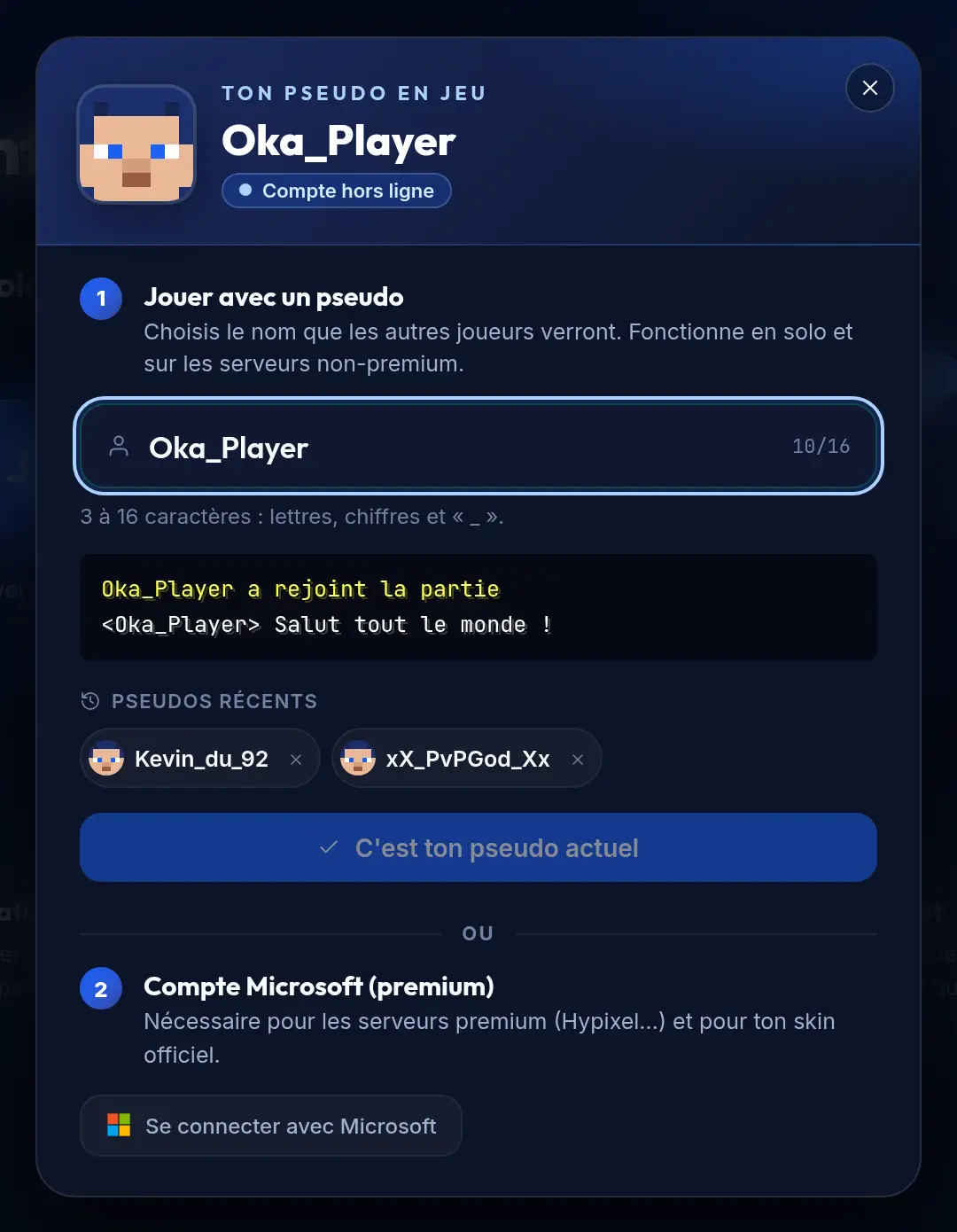
With a username

Pick a name and play right away, in single player and on non‑premium servers. Add as many accounts as you like, premium and non‑premium mixed, and switch between them in one click.

  • No account to create
  • Preview of your name in the chat
  • 3 to 16 characters: letters, numbers and _

With your Microsoft account

For premium servers and your official skin. You sign in on Microsoft's own page, in your browser: OkaClient never sees your password.

  • Official Microsoft sign-in (OAuth 2.0 with PKCE)
  • Tokens encrypted by your operating system, never stored in plain text
  • Never handed to the launcher's interface
The launcher's "Your in-game name" window: play with a username, or sign in with a Microsoft account (premium)
Username or Microsoft account: your call

Optimized and boosted: FPS and memory

Minecraft tuned for your PC, without touching a single setting.

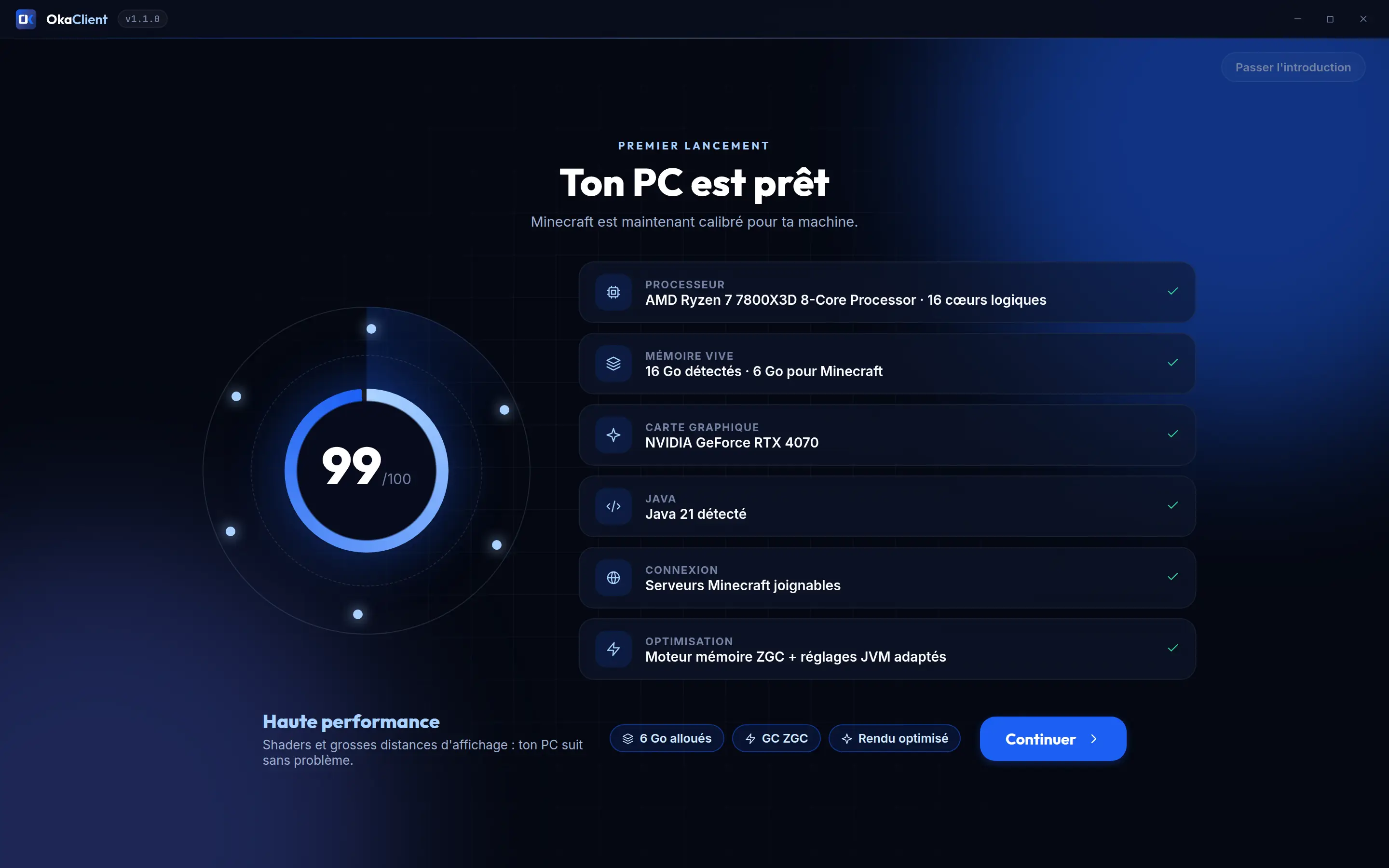
On first launch, OkaClient analyzes your machine and sets Minecraft up for it. After that, you just click PLAY.

OkaClient first launch: "Your PC is ready", with the processor, memory, graphics card, Java and the chosen memory engine
First launch: your PC gets analyzed (sample PC)

Calibrated for your machine

Your processor, memory, graphics card and Java are analyzed on first launch. Minecraft's RAM is set to match your PC.

The right memory engine

Generational ZGC if your PC has 6 cores or more (Java 21+), G1 tuned for smaller setups, compact object headers with Java 25.

Performance mods in one click

Sodium, Lithium, FerriteCore, Entity Culling, ImmediatelyFast and Dynamic FPS are offered on first launch, matched to your version.

Java? Nothing to install

The launcher downloads Mojang's official Java for your Minecraft version, and checks every file.

Zero overhead while you play

Pick "Close launcher completely": the launcher quits when the game starts and comes back on its own when you close it.

In-game performance mode

Fewer frames per second while the game is in the background, lighter distant scenery, "Optimise video" in one click. Players and mobs are never hidden.

No "+300 FPS" claims here: the gain depends on your PC and your mods. We'd rather tell you exactly what OkaClient does.

The launcher

A clean, fast Minecraft launcher that speaks your language.

Everything you need to play, nothing more. Take the tour: these are real screenshots.

Launcher home screen: PLAY button, active profile, username and partner servers

It all starts with PLAY

Your profile, your version, your mods and the partner servers: everything is right there, one click away.

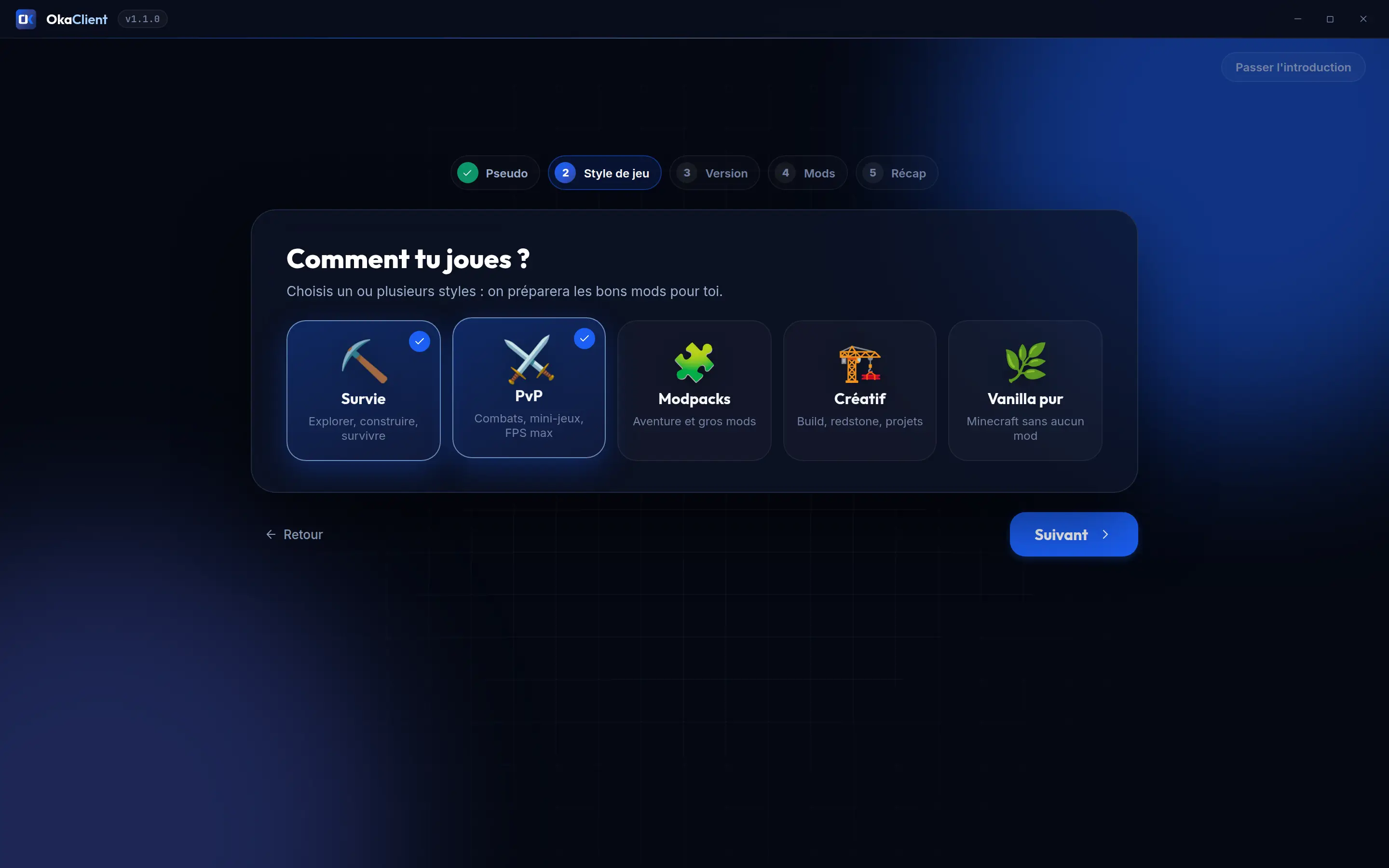
First launch: choosing a play style (Survival, PvP, Modpacks, Creative, Pure vanilla)

Ready in a few clicks

Your name, your play style, your version: OkaClient picks the right mods for you.

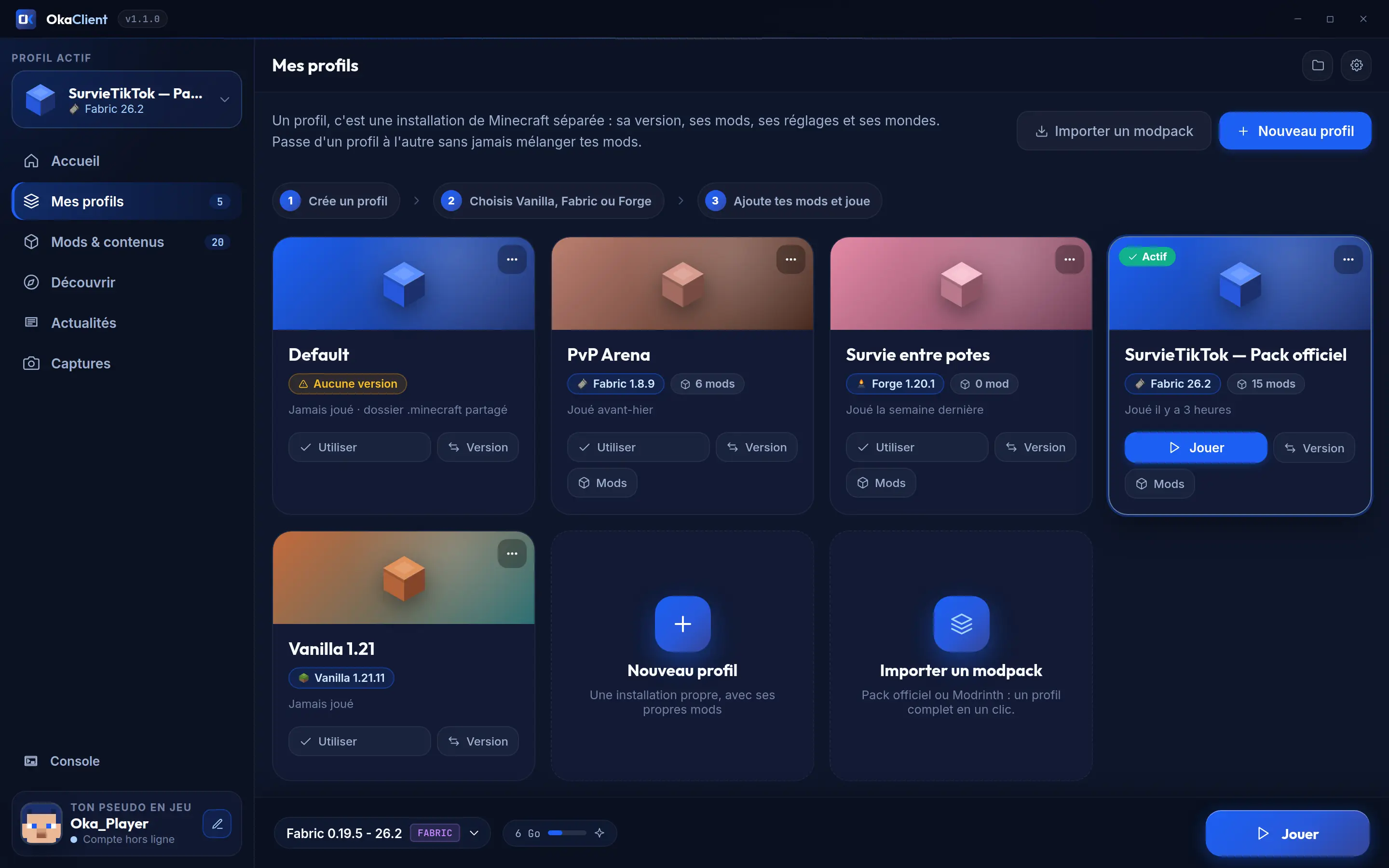
"My profiles" page: five profiles (Vanilla, Fabric, Forge) and modpack import

One profile = one install

Each profile keeps its own version, mods, settings and worlds. Nothing gets mixed up.

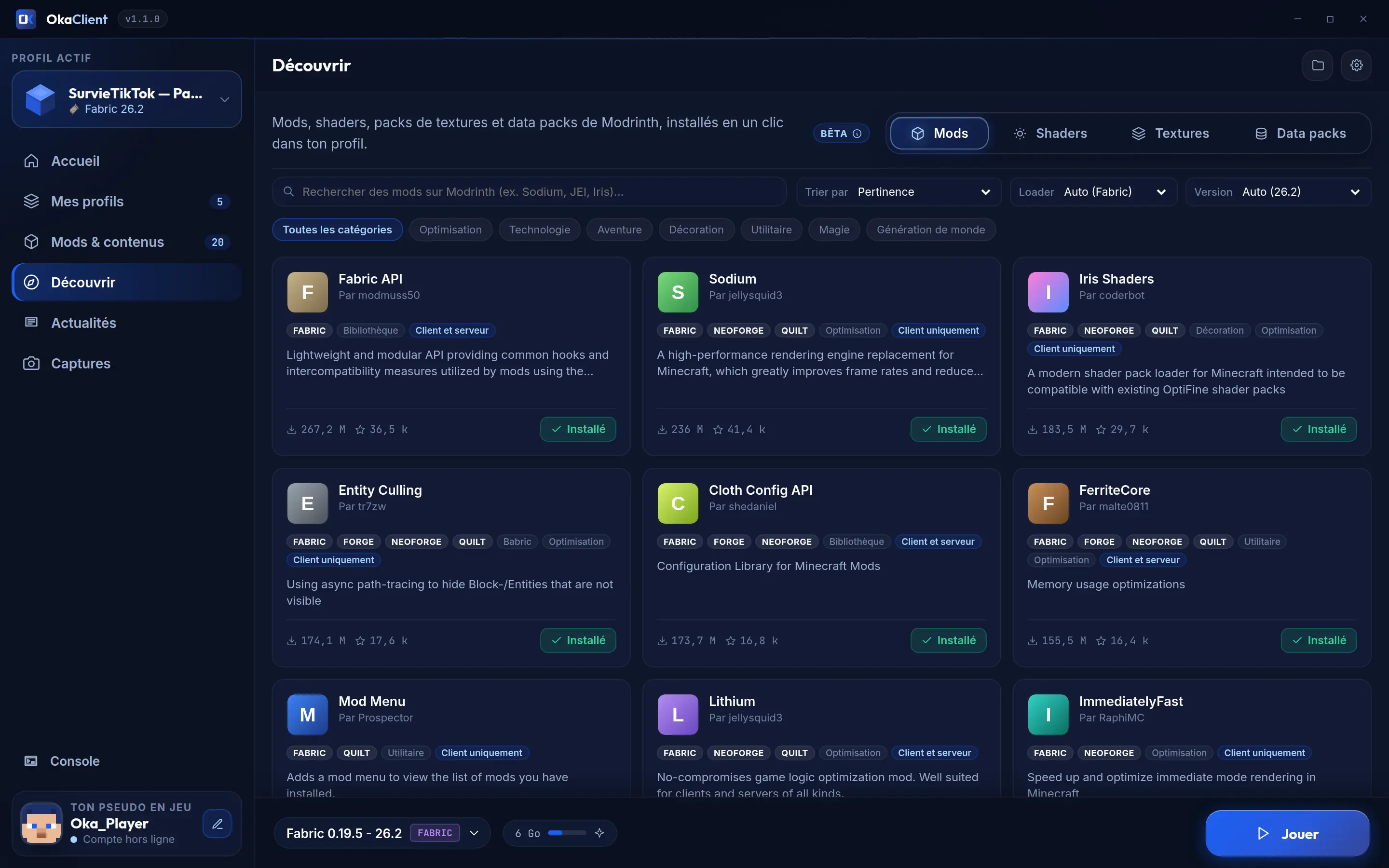
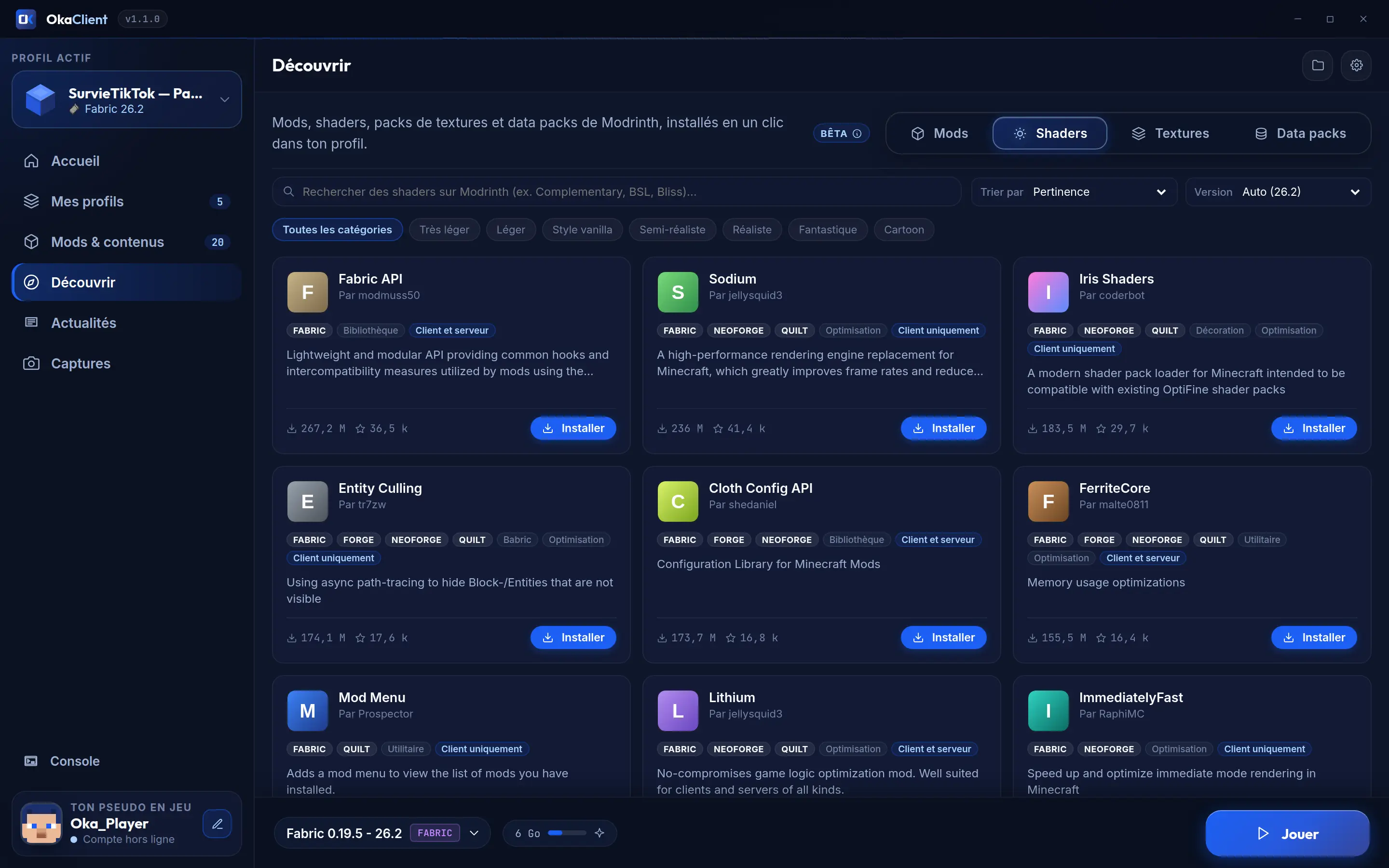
"Discover" page: Modrinth mod catalog with filters and Install buttons

Modrinth inside the launcher

Mods, shaders, resource packs and data packs, installed into your profile in one click.

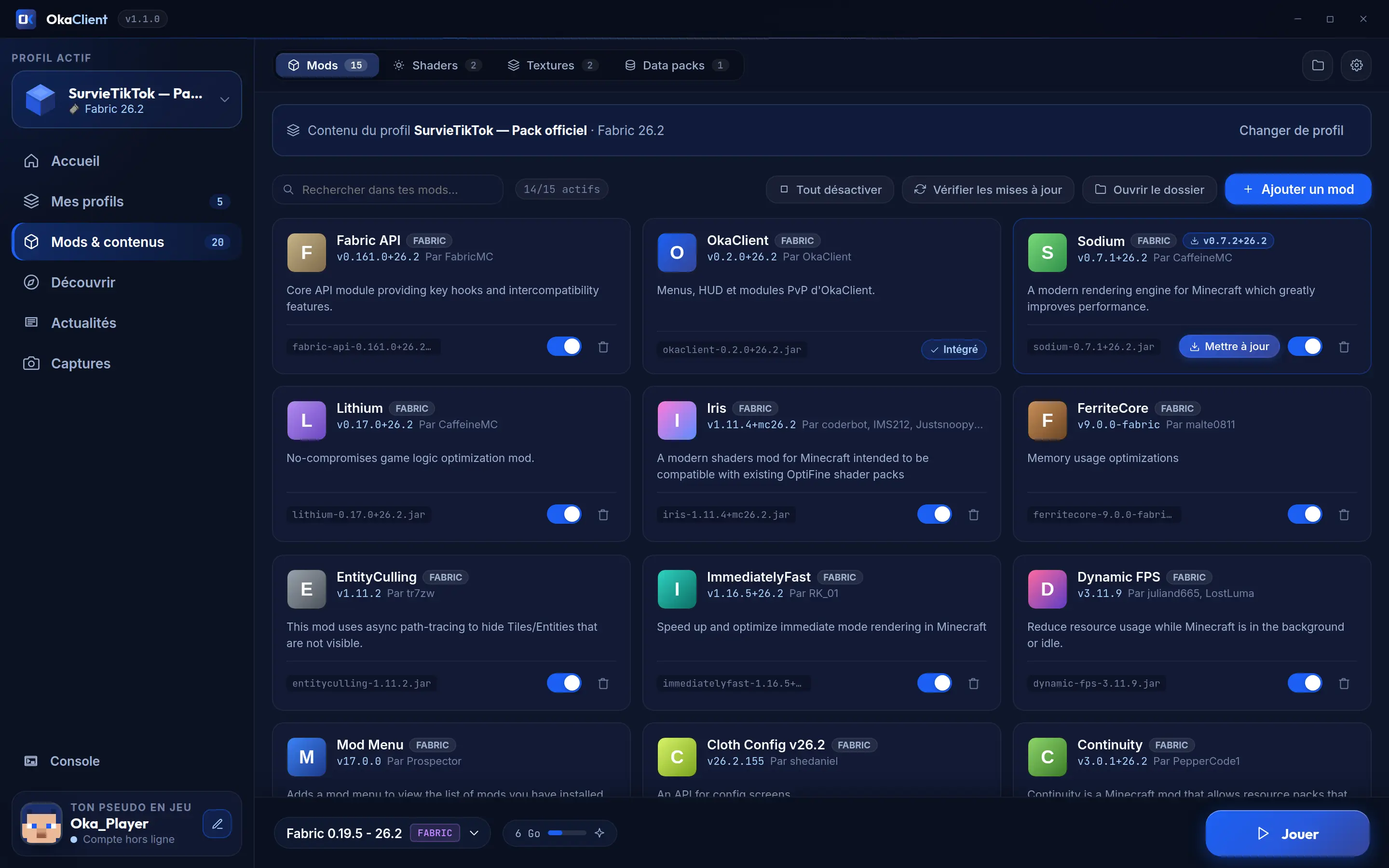
"Mods & content" page: list of the mods installed in the profile

Your library, profile by profile

Mods, shaders, packs and data packs: turn them on, turn them off, update them.

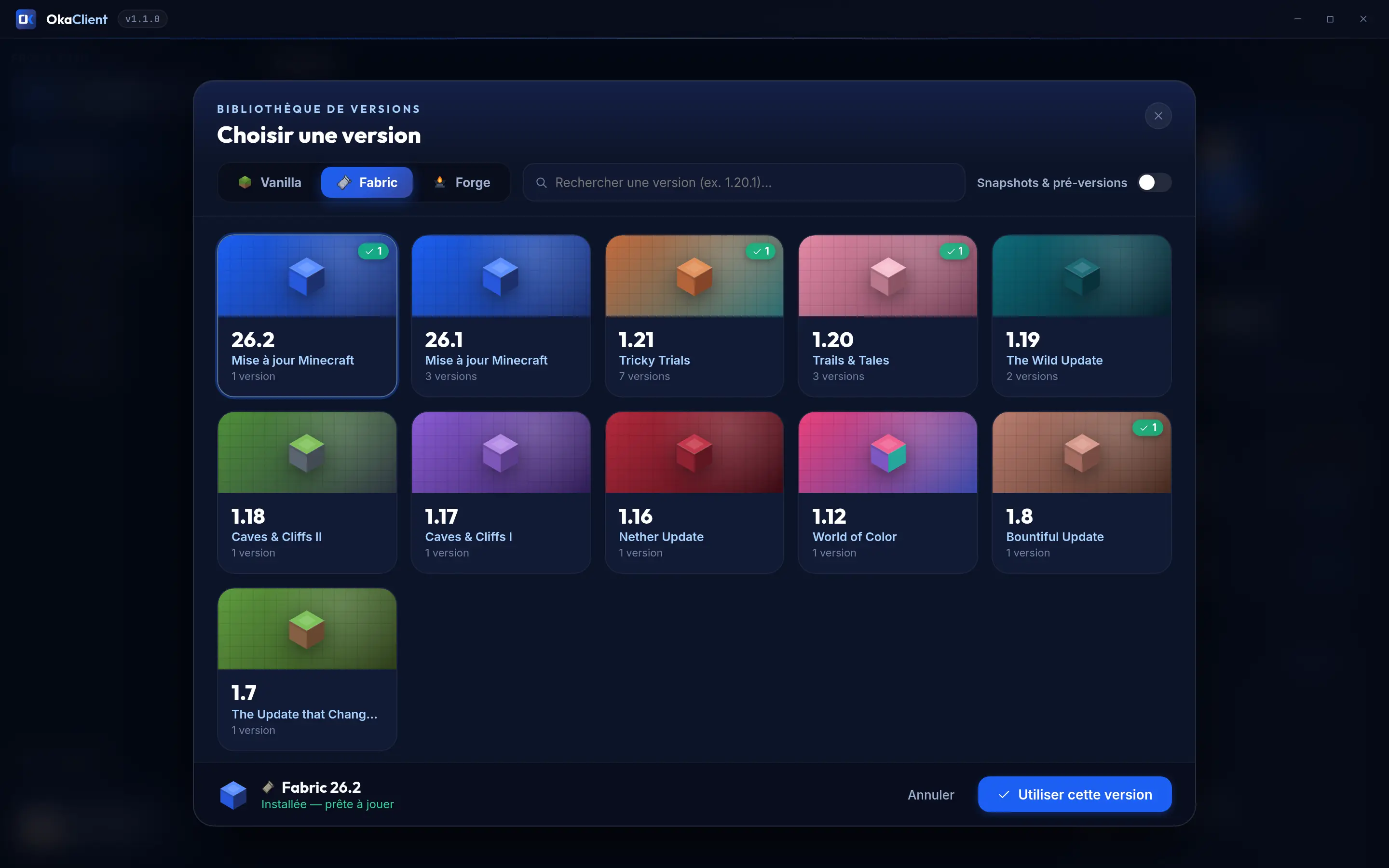
Version library: from 1.7 to 26.2, in Vanilla, Fabric or Forge

Every version

Vanilla, Fabric and Forge in one click, snapshots optional. NeoForge and Quilt come with modpacks.

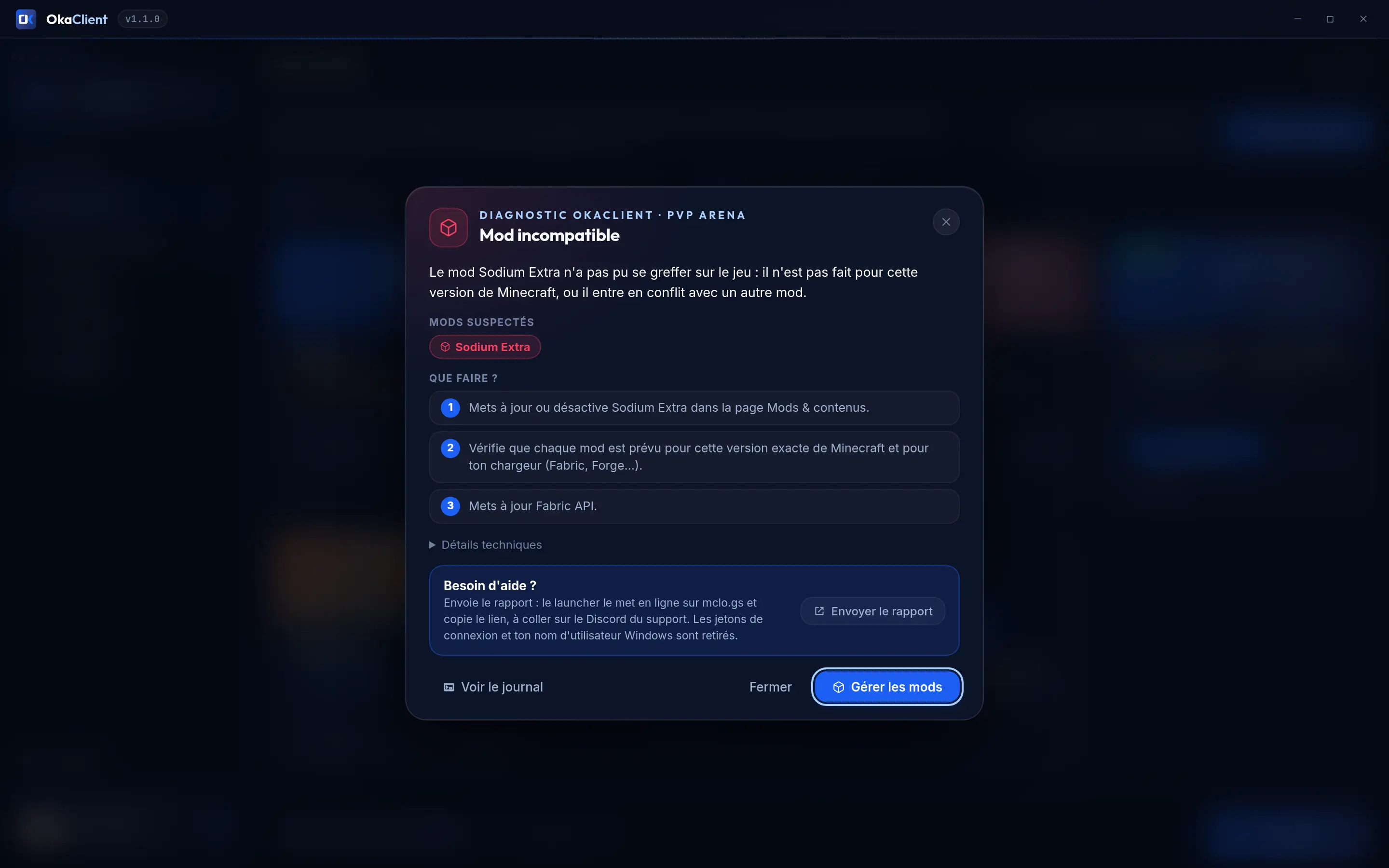
Crash diagnostics: "Incompatible mod", with the cause and the steps to fix it

A crash? We explain it

OkaClient reads the crash report, tells you the cause in plain words and what to do next.

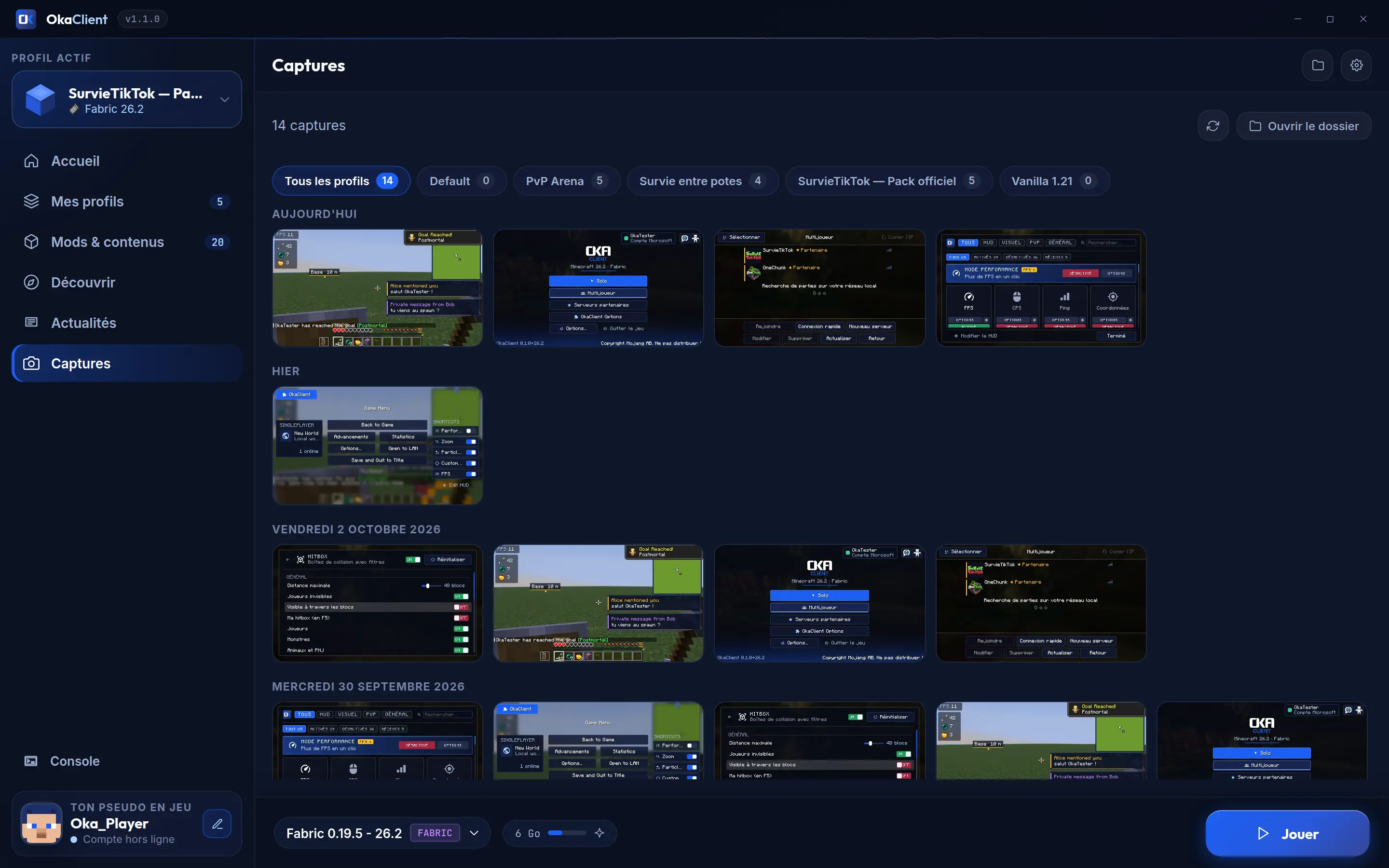
Screenshot gallery: in-game pictures sorted by day, with profile filters

Your screenshots, sorted

All your F2 screenshots, by day and by profile. Share to Discord in one click.

The OkaClient mod

67 PvP, HUD and comfort modules. One single mod.

Press Right Shift in game: HUD, PvP, visuals, quality of life… Turn on what you want, tweak everything, move everything. From 1.8.9 to 26.3, with Fabric (Legacy Fabric on 1.8.9 and 1.12.2).

33 versions The mod runs from 1.8.9 to 26.3, 1.8.9 included for PvP. See supported versions

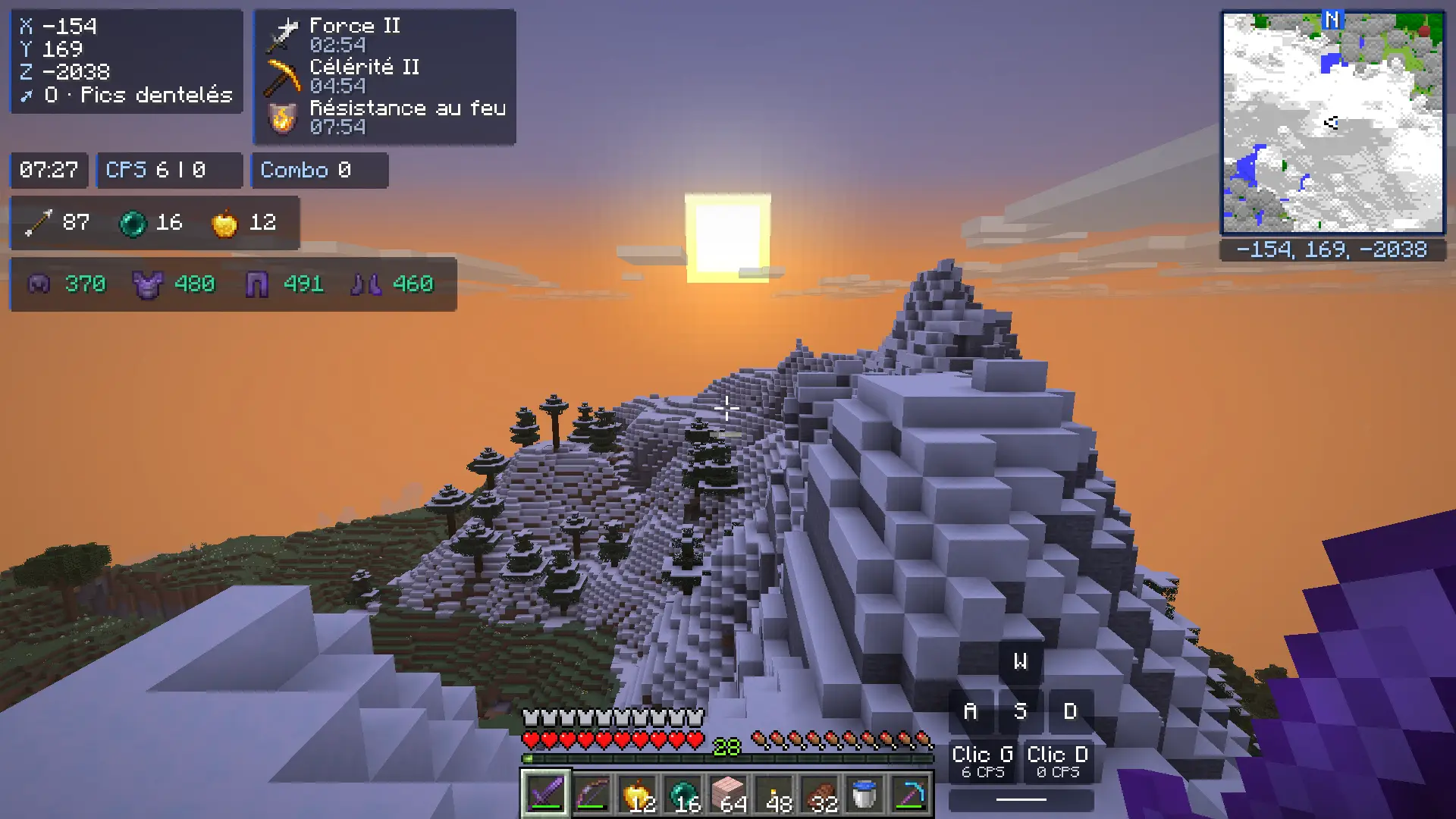
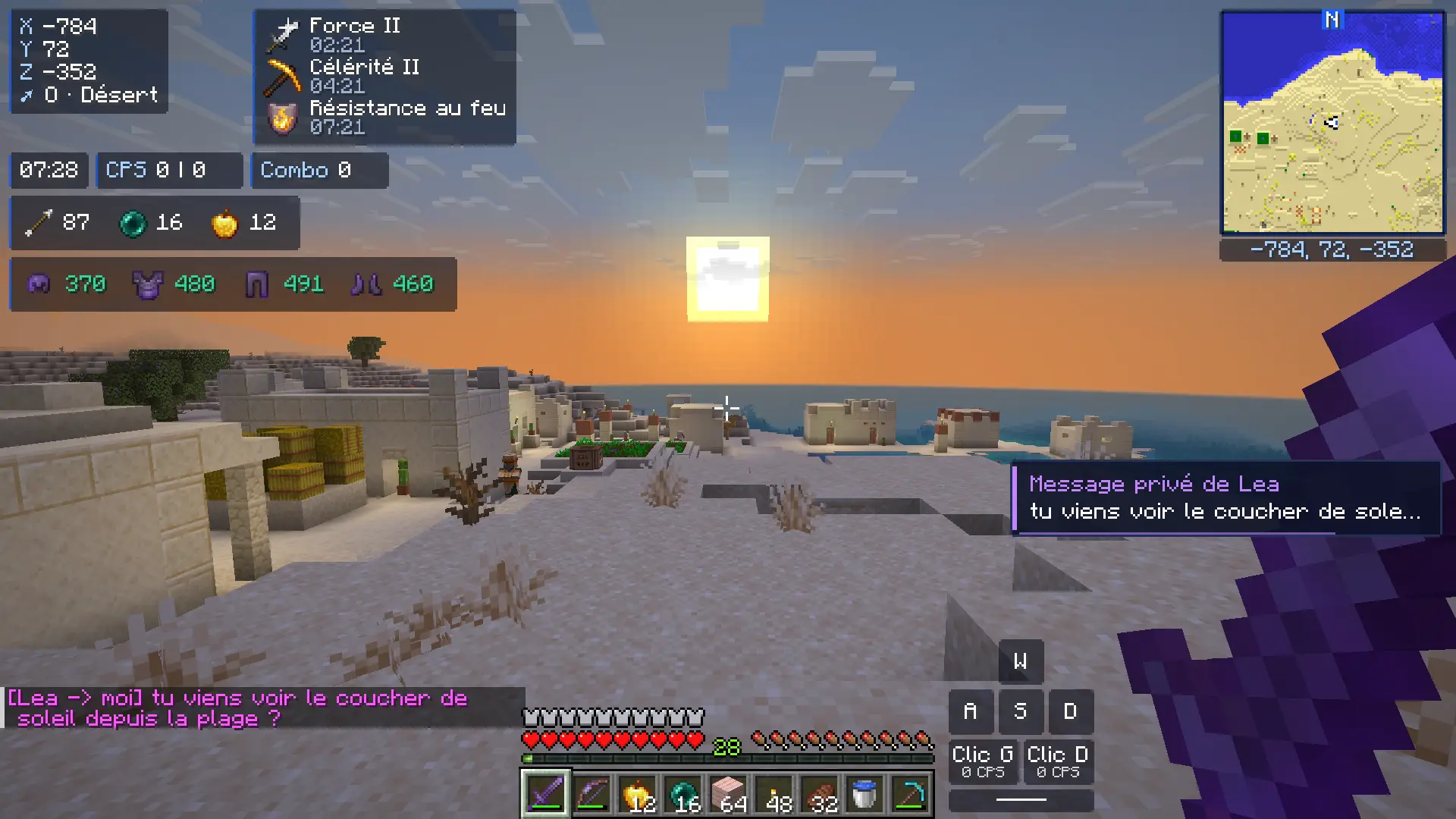
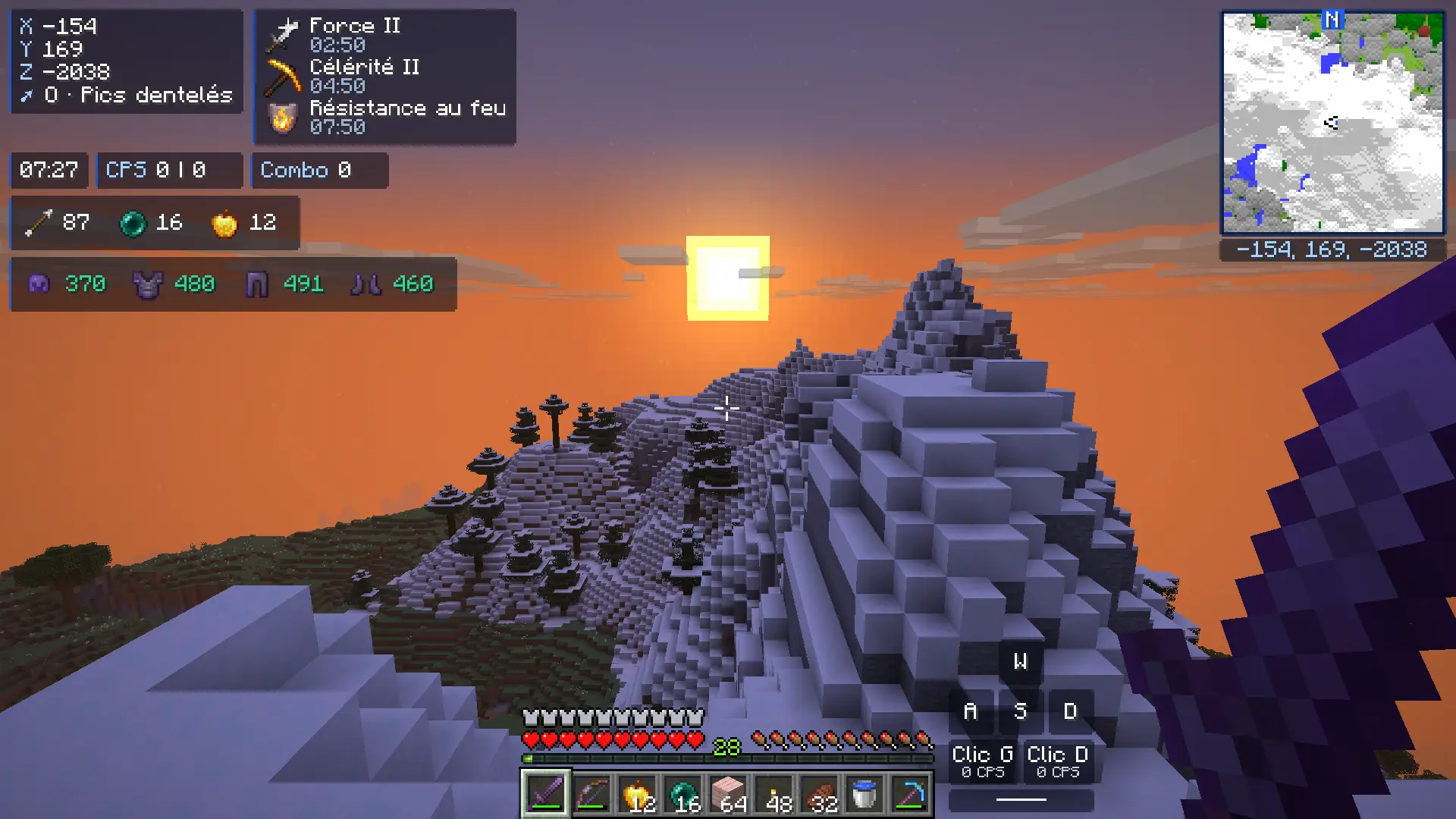
Sunset over the Jagged Peaks in game, with the OkaClient HUD: coordinates and biome, effects, clock, CPS, combo, item counter, armor, minimap and keystrokes
Real in-game screenshot: Minecraft 26.2 with OkaClient, full HUD
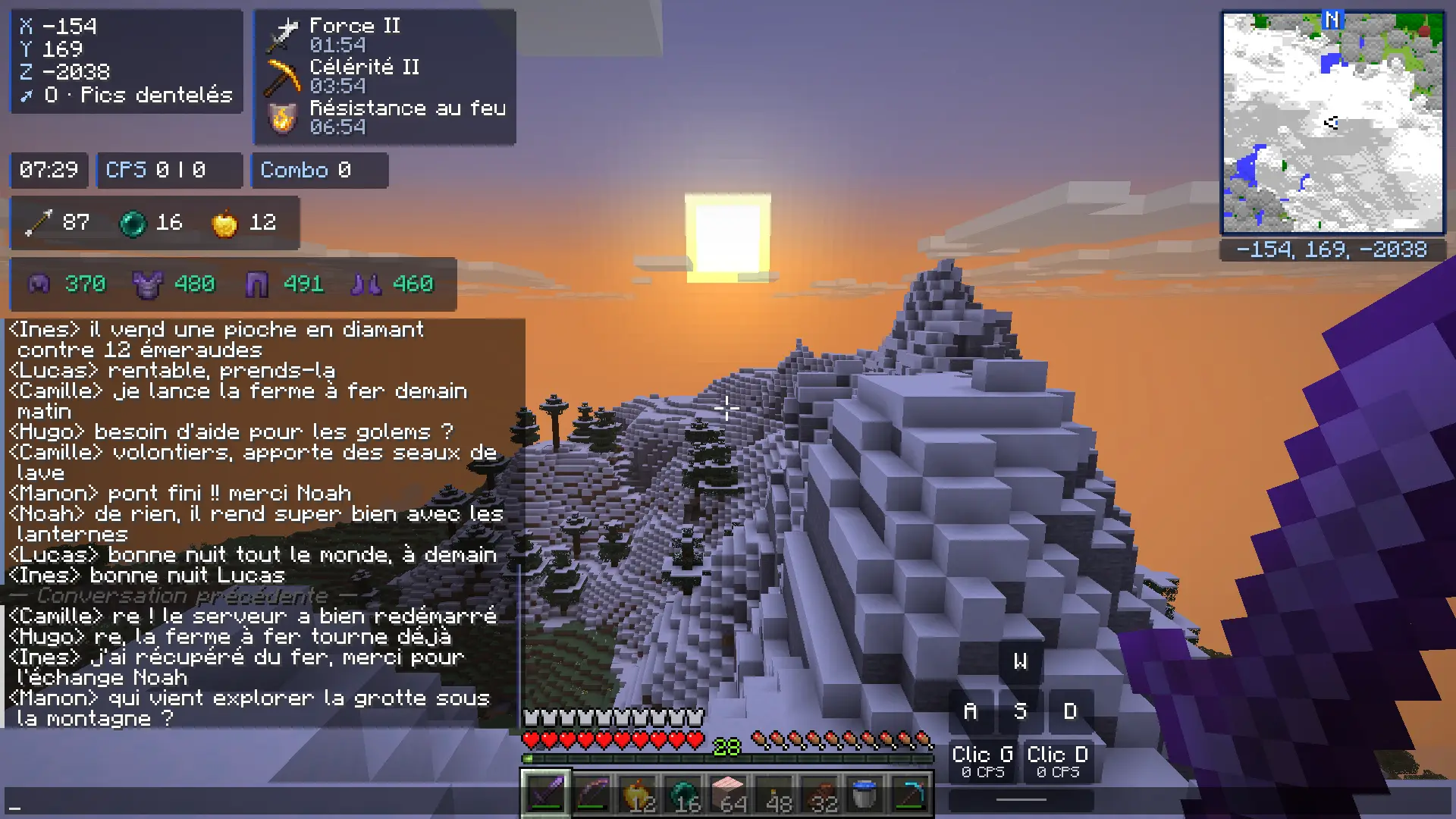
Chat reopened after reconnecting: the previous conversation comes back, above the "Previous conversation" divider

Infinite chat

New

Keep up to 20,000 messages in game, versus 100 in the base game. The chat is saved on your computer, server by server, and the conversation picks up where it left off when you come back. Scroll back as far as you like, or search with Ctrl+F.

  • Up to 20,000 messages kept in game
  • Conversation restored when you join
  • Ctrl+F search through the history
  • Saved only on your PC (30 days by default)
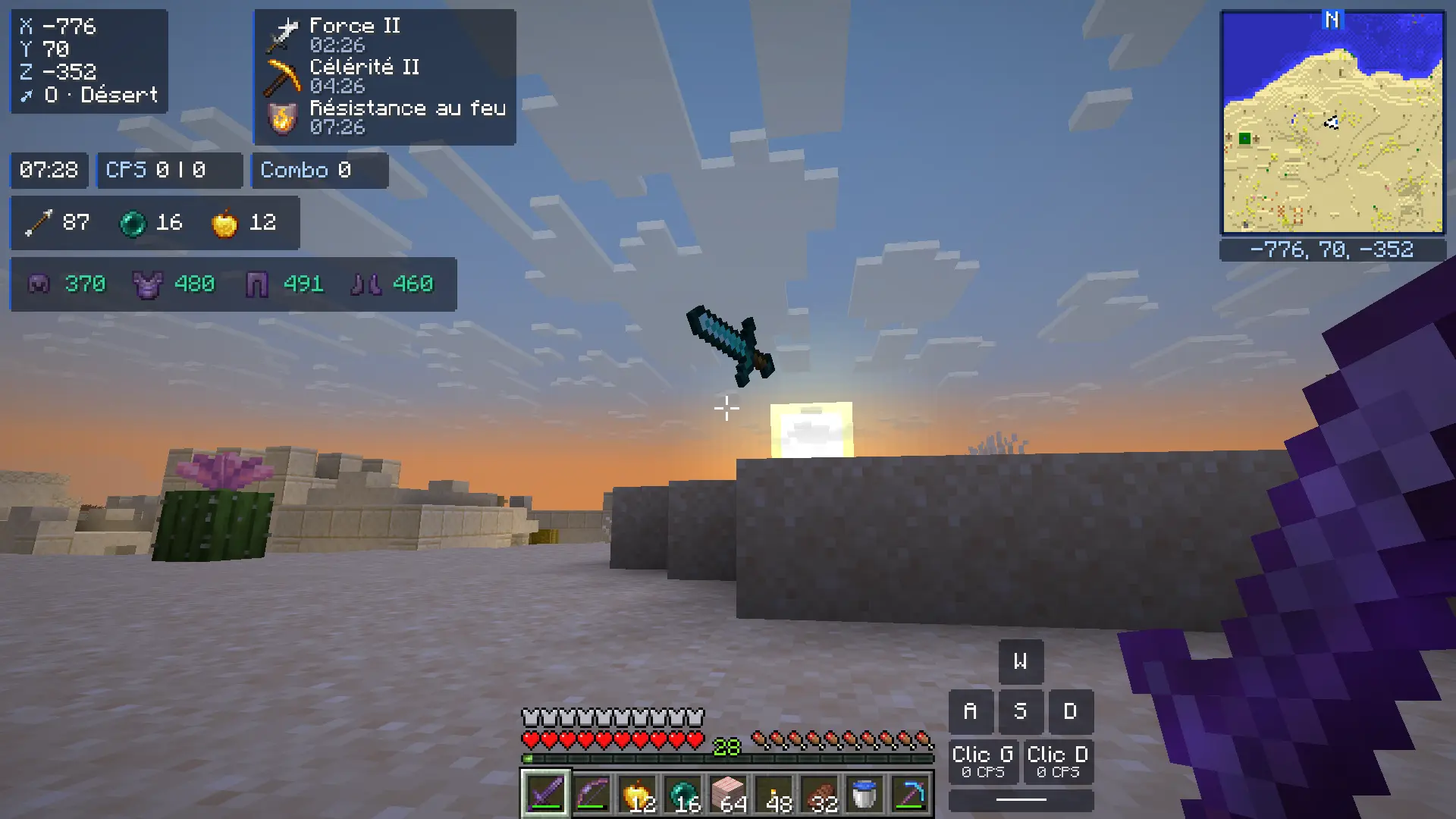
A player under an invisibility potion: without the module, only their sword is visible
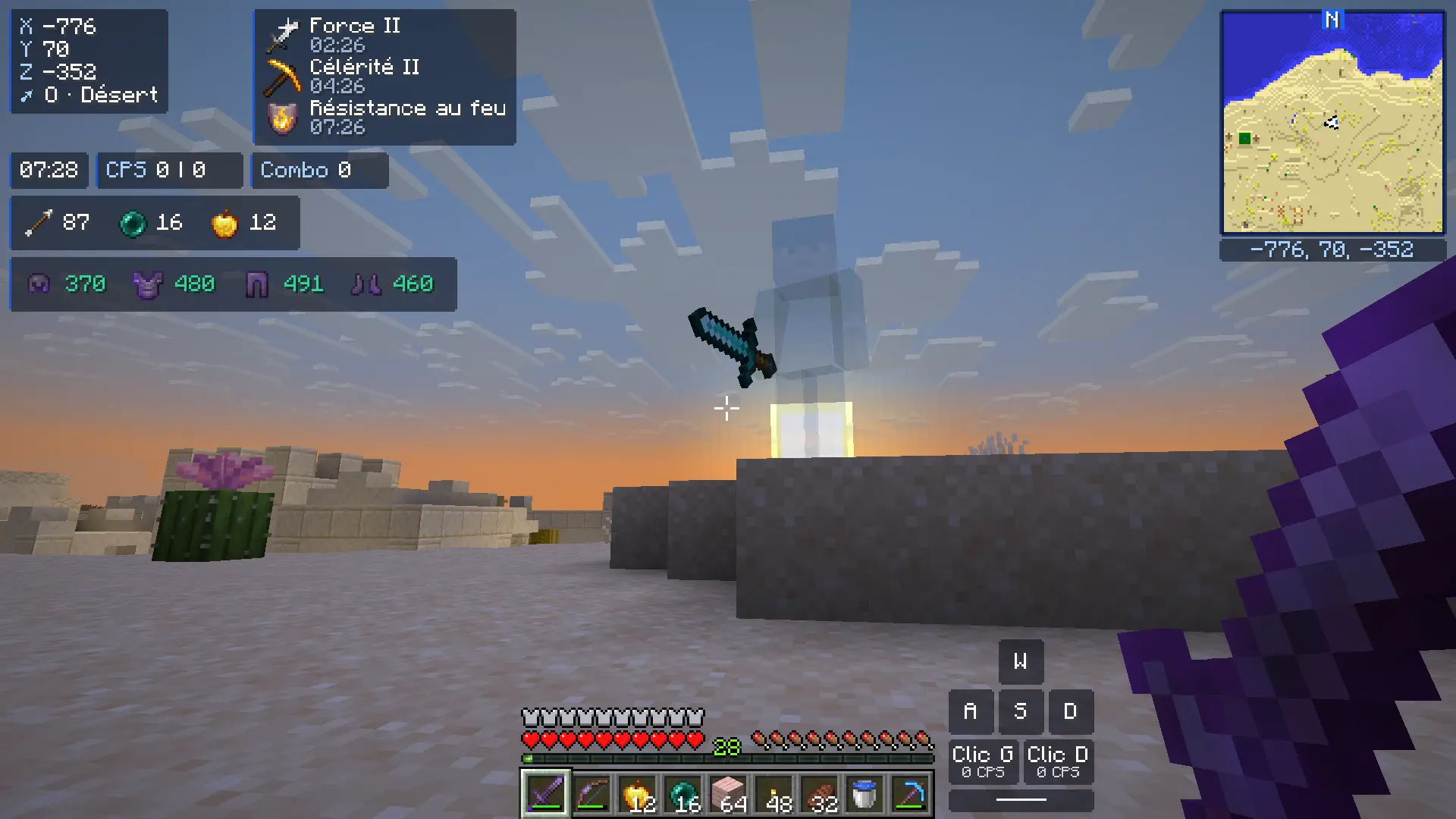
The same player with Ghost: their body shows up see-through

Ghost

New

Invisible players show up see-through, just like the game already does for your team-mates. Nothing else is revealed: no name, no outline, no hitbox.

  • Never spectators or NPCs
  • Can be turned off in the settings
  • A server can turn it off for its game
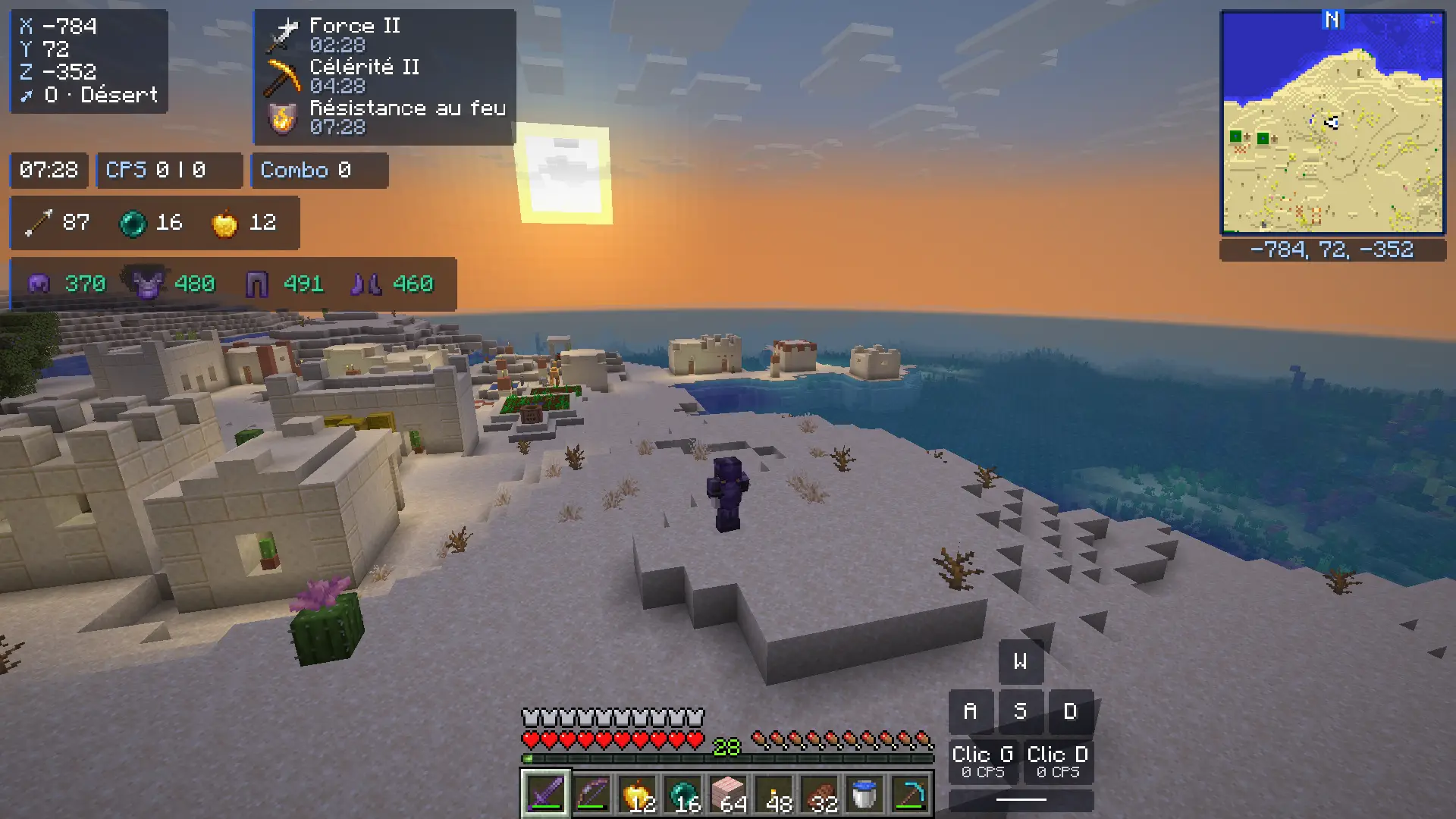
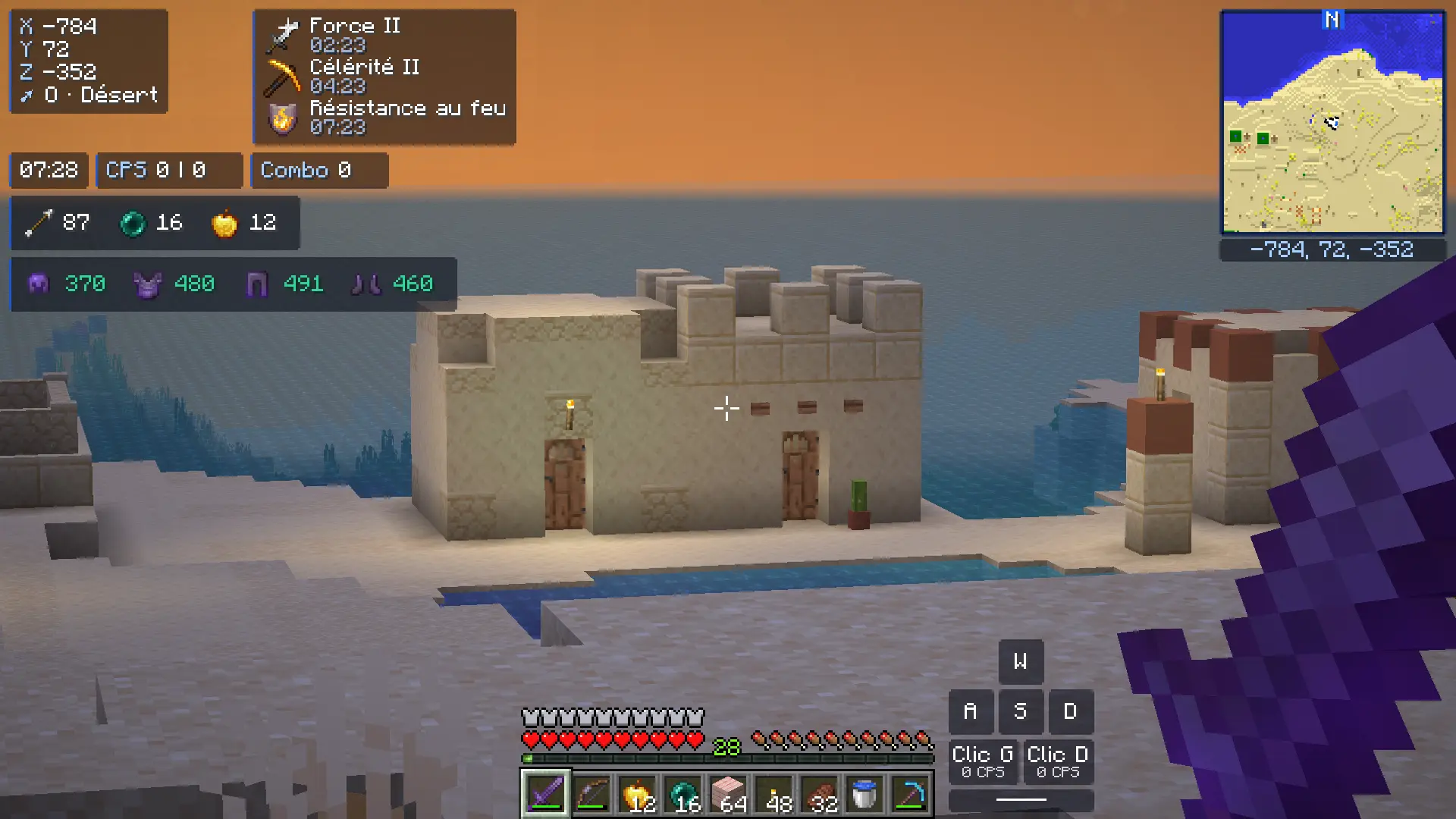
Legit freecam: the camera films the character from outside, in a desert village by the sea, at sunset

Legit freecam

A free camera that doesn't go through blocks and stays close to your character. Meanwhile, your character doesn't move, hit or use anything.

  • F6 key
  • Limited range (24 blocks by default)
  • Turned off when you change worlds
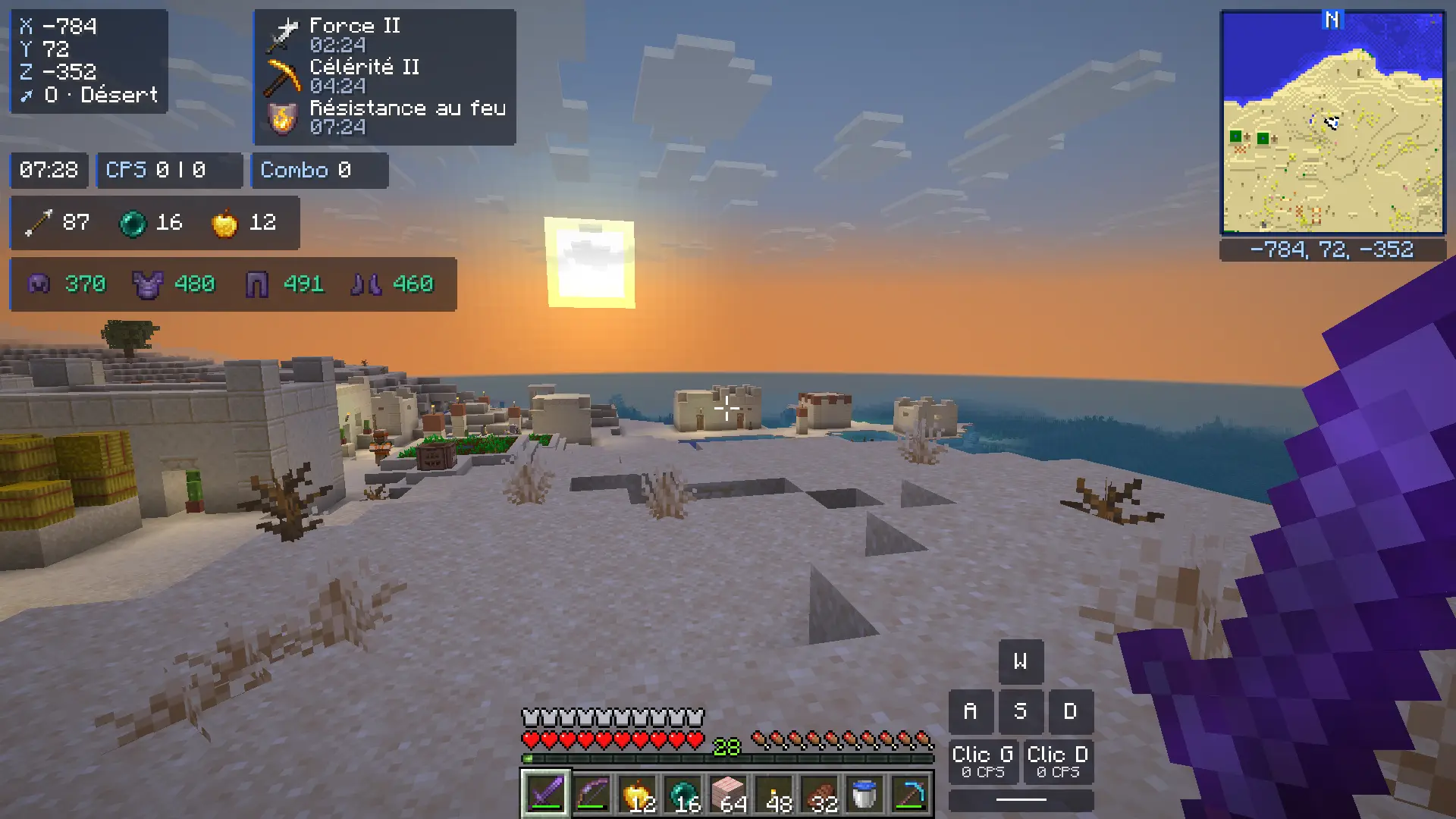
View towards the houses of a distant village, without zoom
The same view with zoom: a village house in close-up

Zoom

Hold C to zoom, use the scroll wheel to adjust. Adjustable magnification, optional smooth zoom.

  • C key (hold)
  • Scroll wheel to adjust
  • Rebindable shortcuts
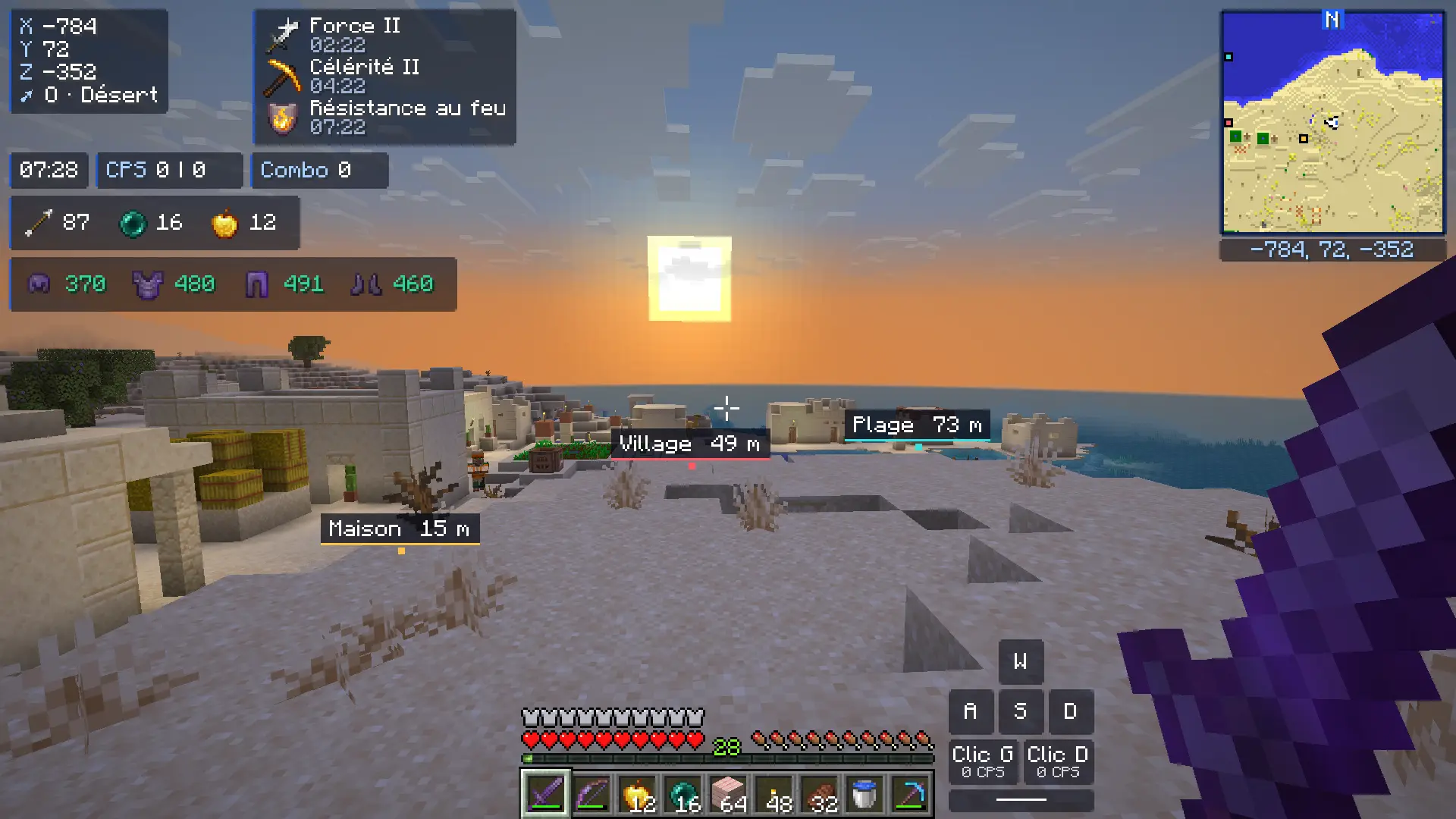
Three named waypoints in the world (Home, Village, Beach) with their distance, and their dots on the minimap

Waypoints and minimap

Drop a waypoint with B, find them all with J: they show up in the world and on the minimap. The minimap shows the terrain, with no radar and no players.

  • Per world and per dimension
  • Shown on the minimap
  • Coordinates hidden when the server requires it
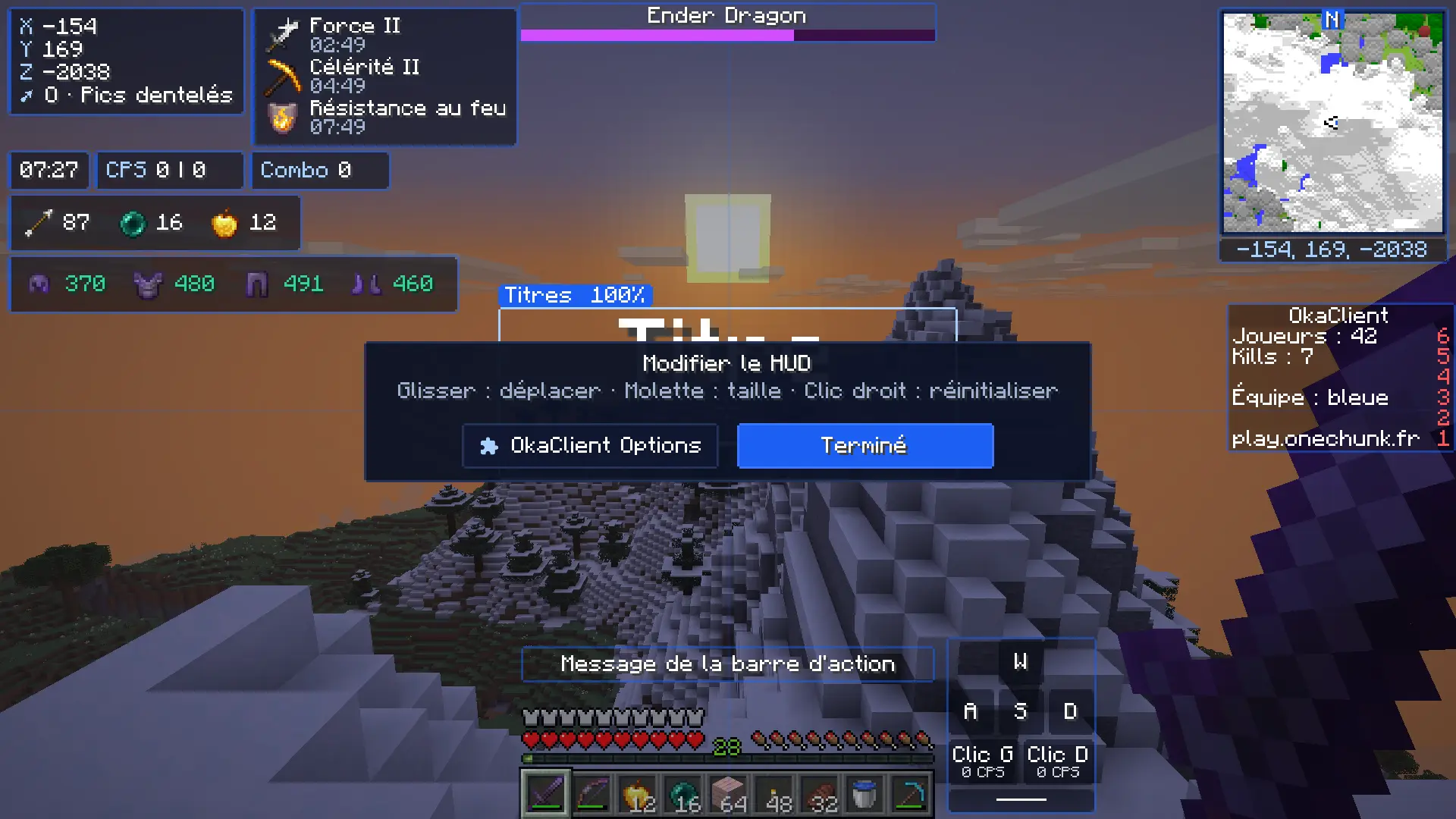
HUD editor over the landscape: every element framed, with the hints "Drag: move · Scroll: size"

HUD and editor

FPS, CPS, coordinates, keystrokes, armor, effects, ping… 23 elements to place wherever you want, each with its own style: background, border, colors.

  • Drag to move, scroll to resize
  • Scoreboard, boss bar and titles can be moved
  • Style of every element adjustable
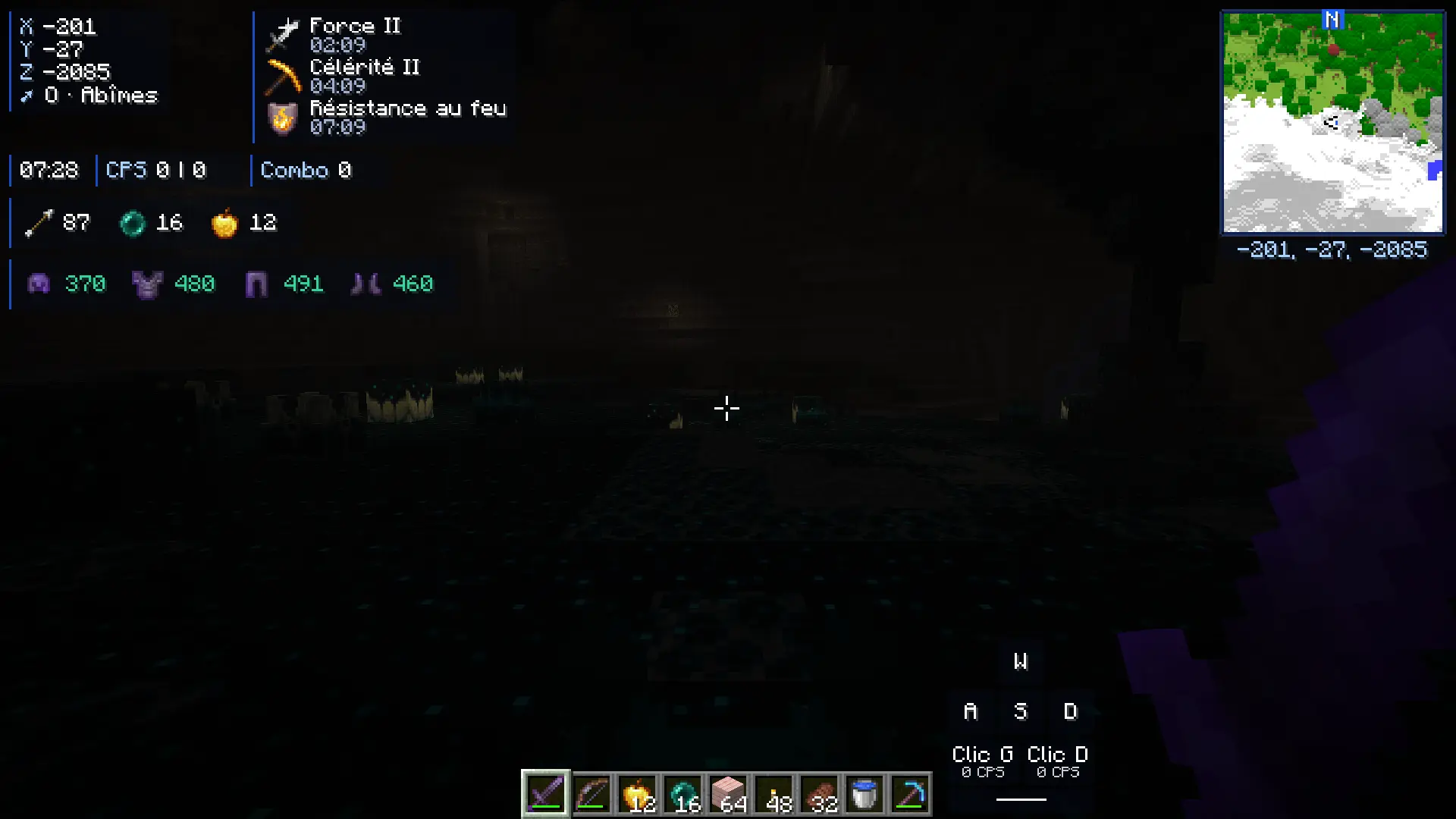
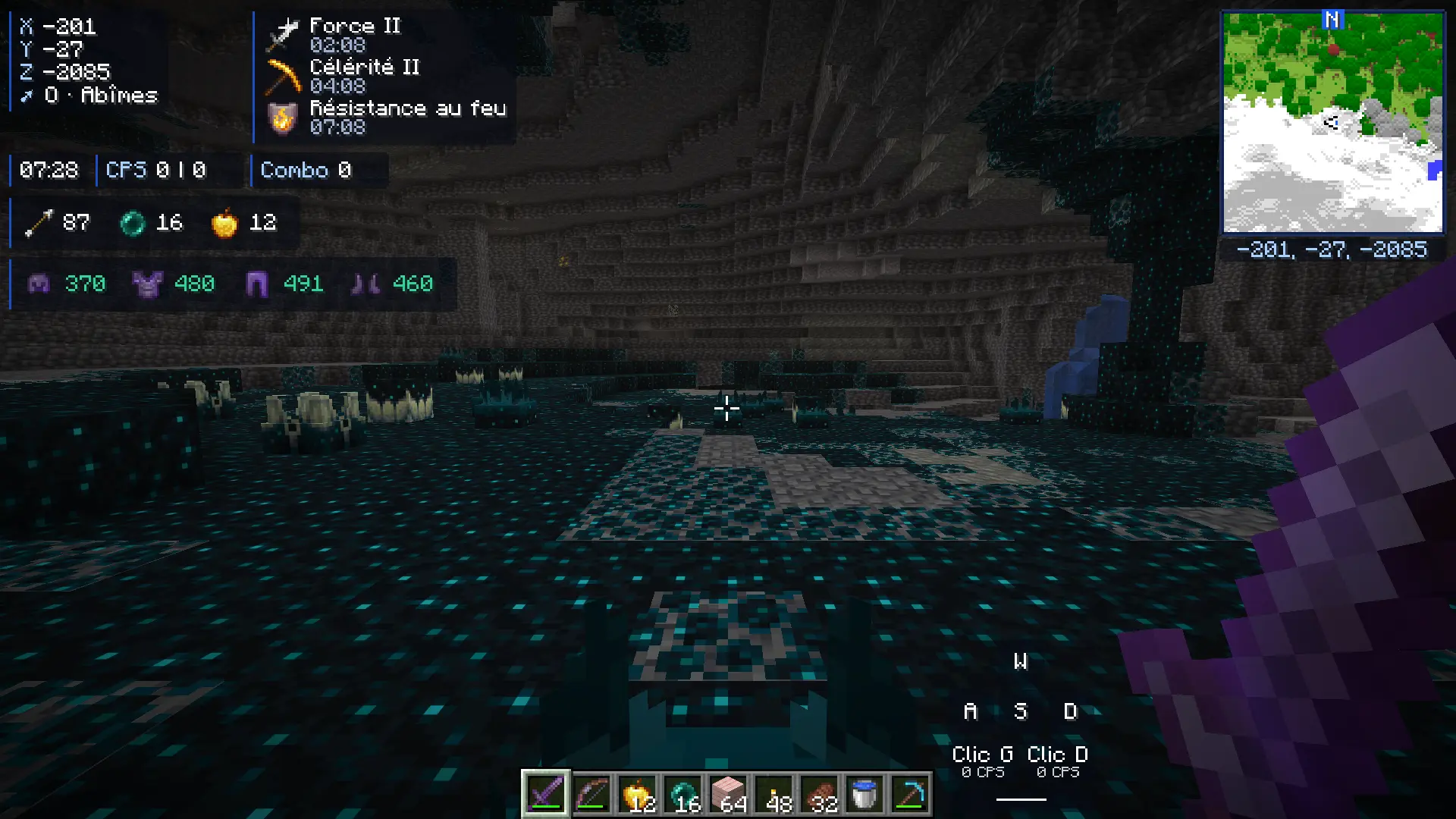
A Deep Dark cave, almost pitch black, without the module
The same cave with Fullbright: the walls and the sculk become visible

Fullbright

See clearly in the dark: caves, nights, the depths. Flip a switch and everything lights up.

  • One click in OkaClient Options
  • Keyboard shortcut of your choice
"Private message" notification in the top right corner of the screen, in game

Notifications

Private messages, mentions of your name and friends coming online pop up as small toasts, no digging through the chat.

  • Hidden while the chat is open
  • Sound, duration and position adjustable
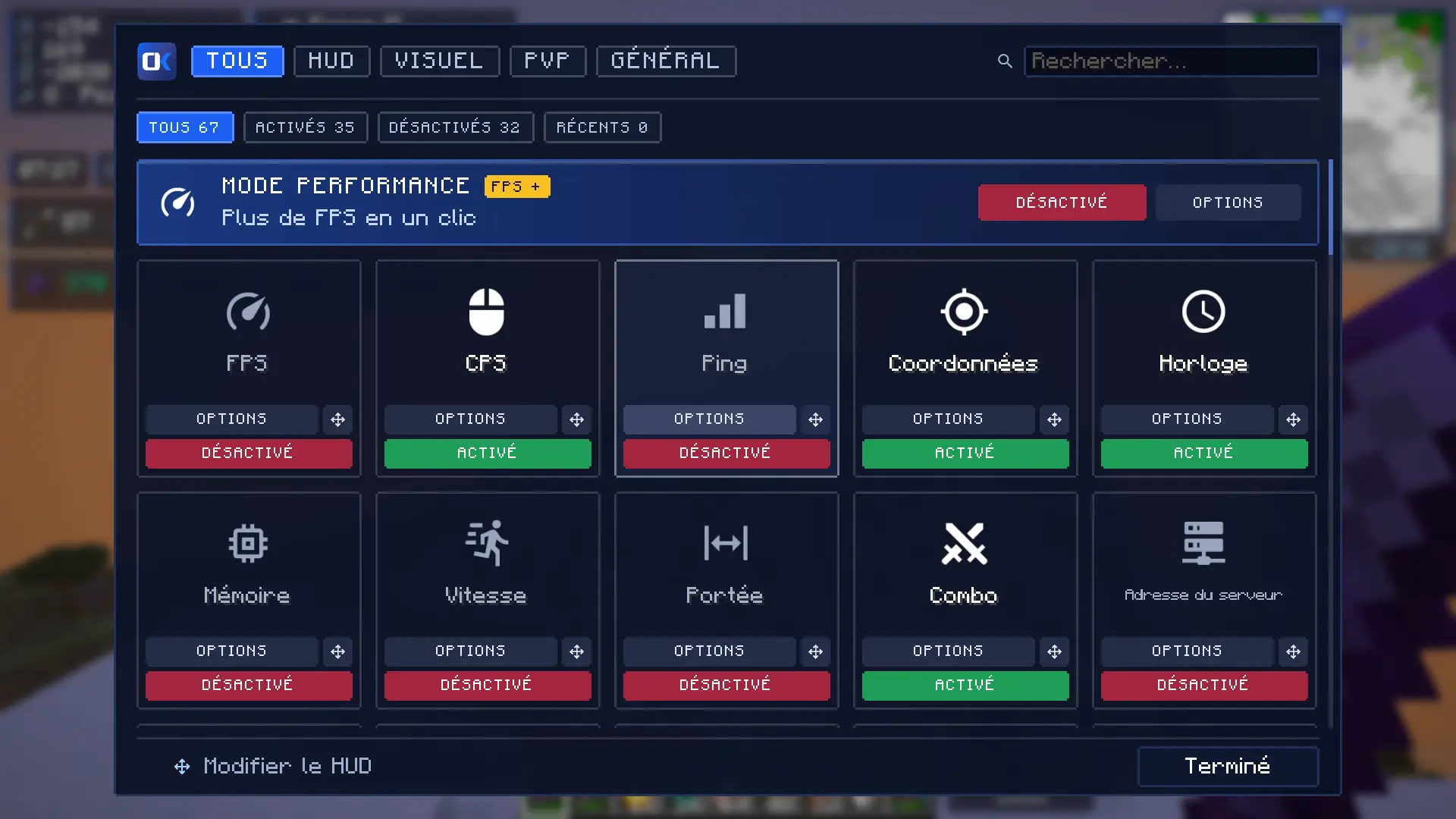
OkaClient Options screen in game: All, HUD, Visual, PvP and General tabs, Performance mode banner and module cards

OkaClient Options

Right Shift opens every module: search, toggle, tweak. Up top, performance mode: fewer frames per second in the background, lighter distant scenery, "Optimise video" in one click.

  • Players and mobs never hidden
  • Works with Sodium, Lithium and friends
  • Nothing changes for PvP
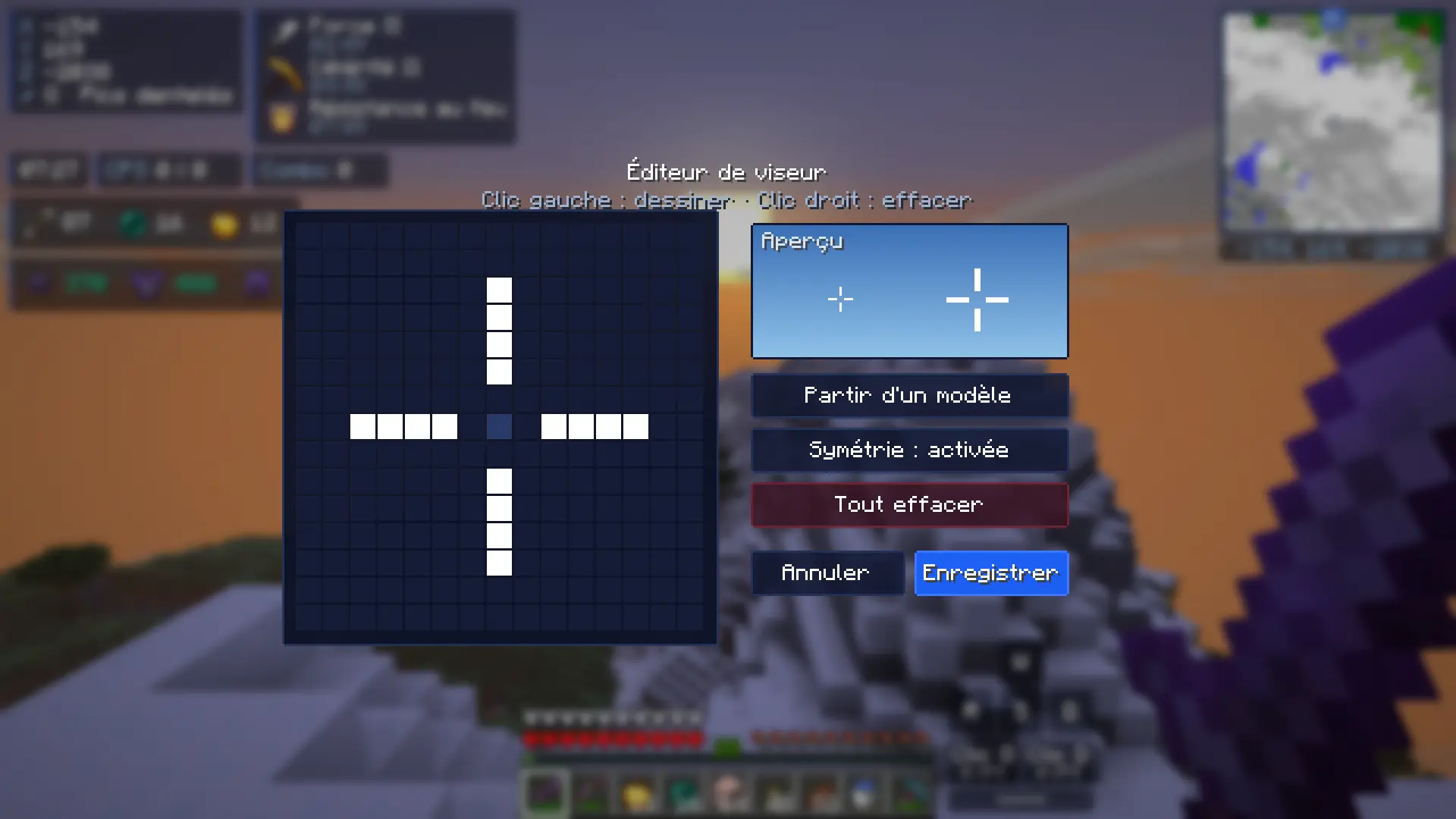
Crosshair editor: a 15 × 15 grid to draw your crosshair pixel by pixel

Custom crosshair

Pick one of 10 presets or draw your crosshair pixel by pixel, on a 15 × 15 grid.

  • Color, outline and size
  • Live preview
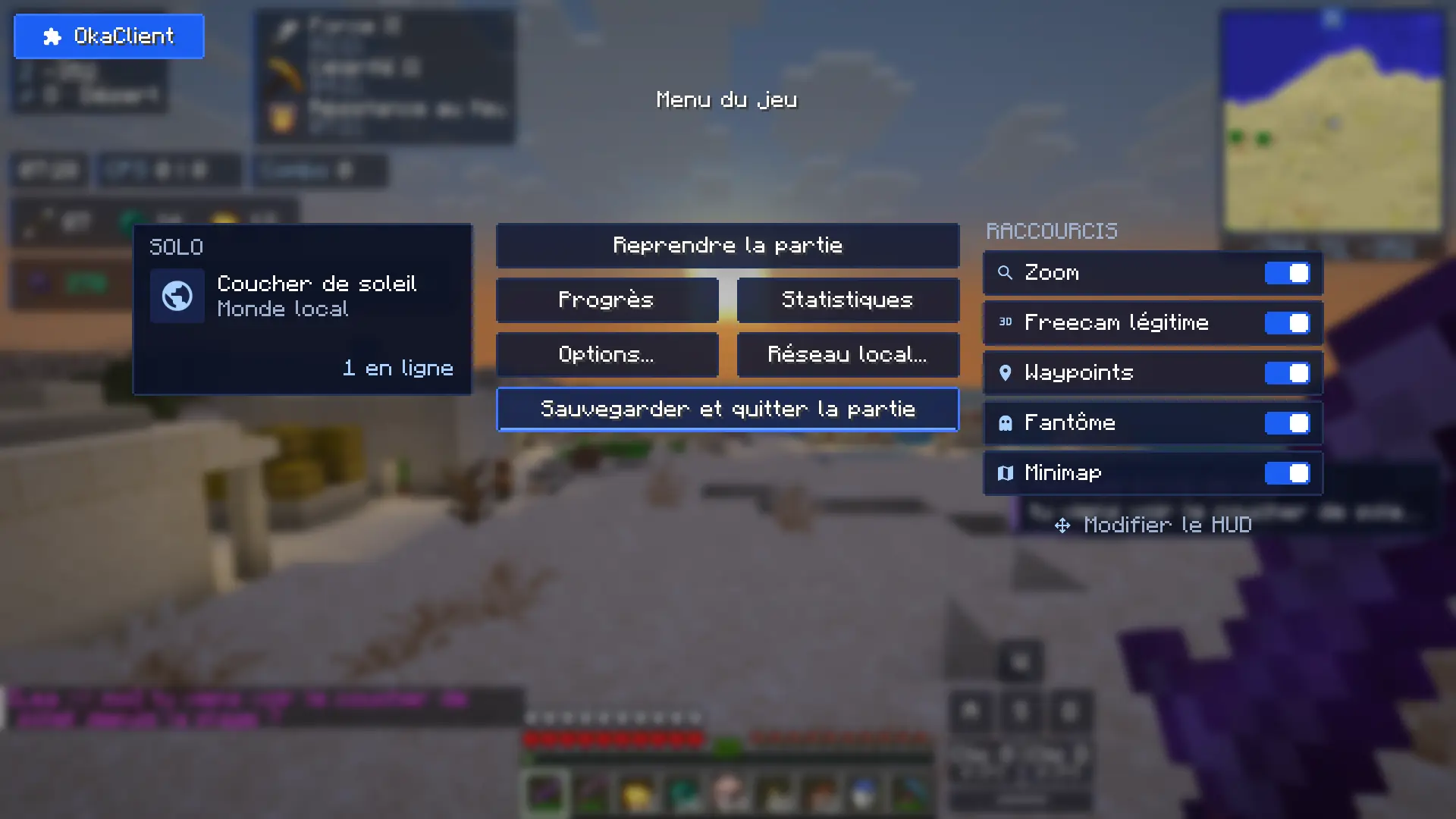
OkaClient pause menu: card of the current world, mod shortcuts (Zoom, Legit freecam, Waypoints, Ghost, Minimap) and "Edit HUD"

OkaClient menus

Main menu, a pause menu with your server and your shortcuts, loading screen: the whole game in OkaClient colors.

  • Partner servers pinned
  • Mod shortcuts in the pause menu
  • Adjustable menu theme

Real in-game screenshot

More in-game pictures

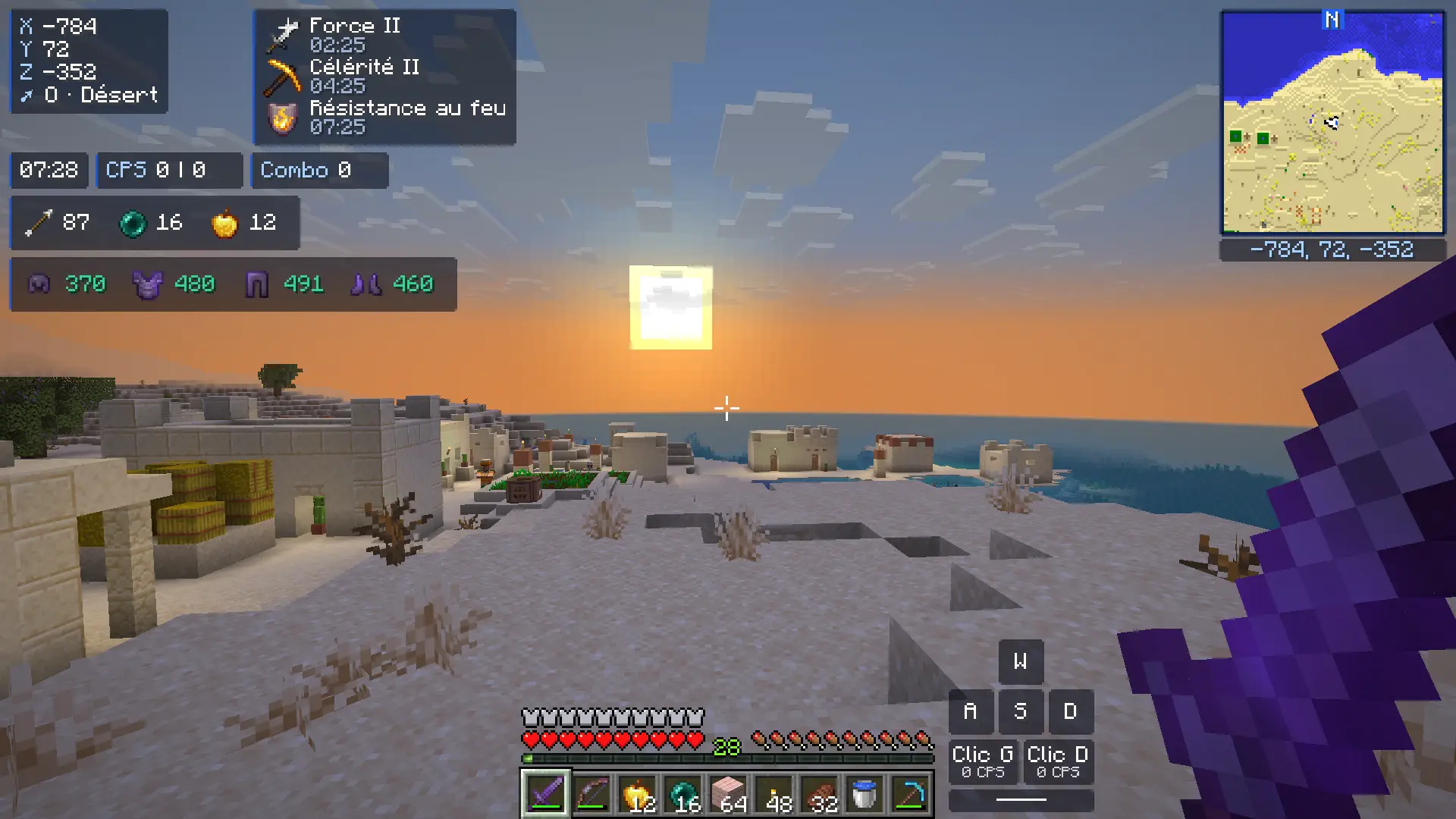
  • Desert village by the sea at sunset, with the OkaClient HUD
    Desert village, OkaClient HUD
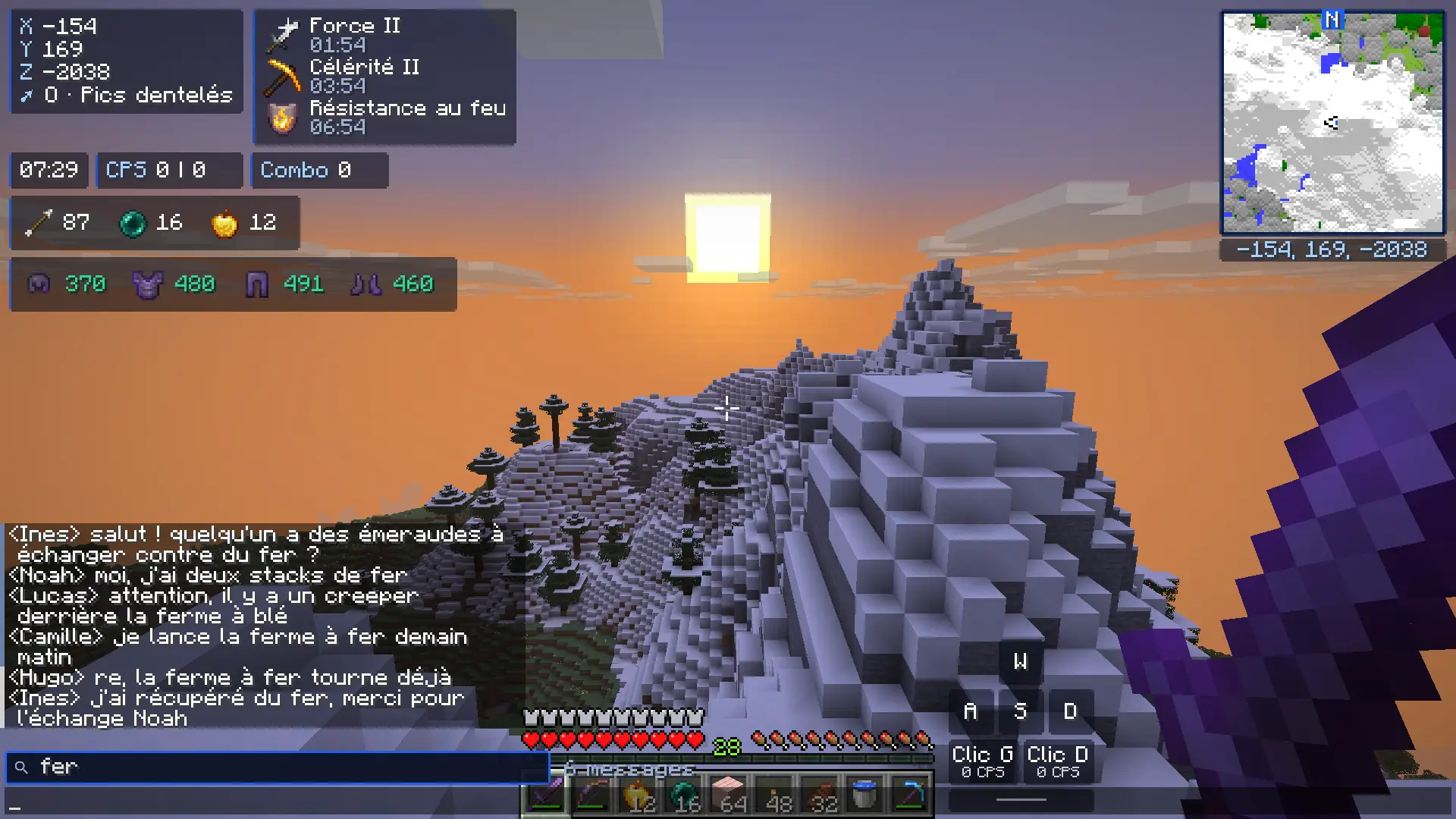
  • Ctrl+F search for "fer" in the infinite chat: only the lines containing "fer" remain
    Infinite chat: Ctrl+F search
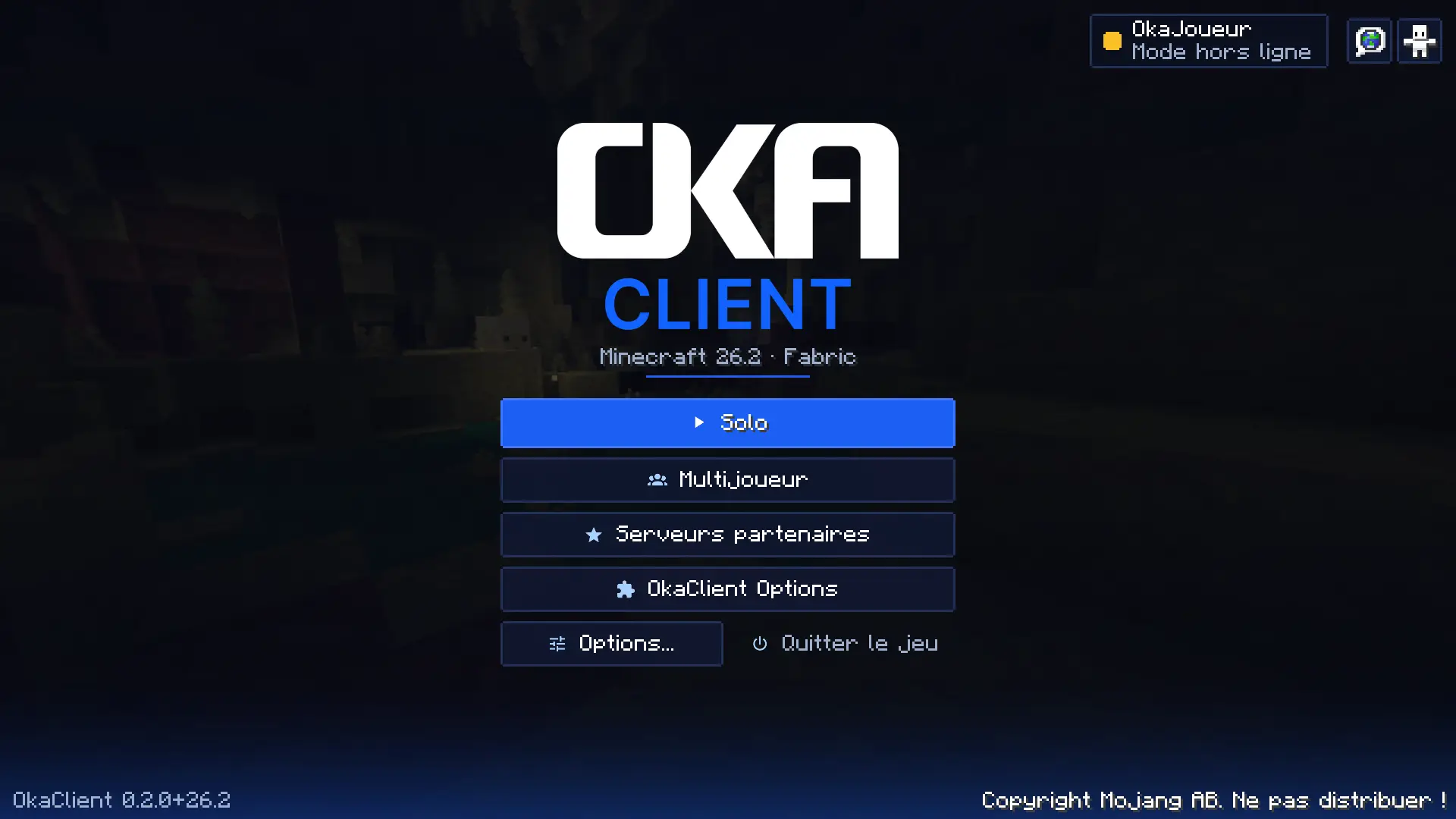
  • OkaClient main menu: Singleplayer, Multiplayer, Partner servers, OkaClient Options
    OkaClient main menu
  • The Jagged Peaks with the sun lower, with the OkaClient HUD
    Jagged Peaks at sunset

All 67 modules, one by one

This list comes straight from the mod's code. Filter by category or search for a module.

67 modules

  • HUD FPS Frames per second in real time
  • HUD CPS Clicks per second, left | right
  • HUD Ping Latency to the server (multiplayer)
  • HUD Coordinates Position, facing and biome
  • HUD Clock Your computer's time
  • HUD Memory RAM used by the game
  • HUD Speed Your speed in blocks per second
  • HUD Reach Distance of your last hit
  • HUD Combo Hits in a row without being hit
  • HUD Server address IP of the server you play on
  • HUD Day counter Current day in the world
  • HUD Playtime Length of your session
  • HUD Totems Totems of Undying in your inventory
  • HUD Item counter Arrows, pearls and golden apples
  • HUD Active pack Name of the resource pack in use
  • HUD Keystrokes Movement keys, clicks and jump
  • HUD Effects Active effects with remaining time
  • HUD Armor Worn armor and remaining durability
  • HUD Minimap Terrain map, no radar or players
  • HUD Scoreboard Move, resize or hide the sidebar
  • HUD Boss bar Move, resize or hide boss bars
  • HUD Titles Move and resize titles
  • HUD Action bar Move and resize messages above the hotbar
  • Visual Custom crosshair Presets or pixel-by-pixel drawing
  • Visual Hitbox Collision boxes with filters
  • Visual Hit Color Colour of the flash when you hit
  • Visual Ghost Invisible players show up see-through, like your team-mates
  • Visual Waypoints Your own markers (B: add, J: list)
  • Visual TNT countdown Seconds left above lit TNT
  • Visual Chunk borders Chunk limits around you
  • Visual Saturation Saturation shown on the hunger bar
  • Visual Particles Fewer particles or more crits
  • Visual Particle filter Hide any particle you want
  • Visual Shulker preview Hold Shift on a shulker to see inside
  • Visual Block outline Outline colour and thickness
  • Visual Fullbright See clearly in the dark
  • Visual Weather Choose the weather you see (visual)
  • Visual No Fog Removes fog (horizon, Nether, water…)
  • Visual Low health alert Red edges when your health is low
  • Visual Chat Time in front of every message
  • General Infinite chat Keeps the whole chat, brings it back when you join, Ctrl+F to search
  • Visual My name in F5 Shows your name in third person
  • Visual Low Fire Lowers the on-screen flames
  • Visual No Hurt Cam The camera no longer shakes when hit
  • PvP Zoom Hold C to zoom, scroll to adjust
  • PvP Freelook Hold Alt to look around you
  • PvP Snaplook Hold V to look behind you
  • PvP Legit freecam Free camera that doesn't go through blocks (F6)
  • PvP Crystal Optimizer Crystals vanish on hit, no waiting for the server
  • PvP Totem Optimizer Lighter animation and particles, totem pop counter per player
  • PvP Shield Fixes Enemy shields raised on time, instant sounds
  • Visual Shield Status Shield colour by state (ready, raised, disabled)
  • Visual Animations Swing speed, no hand dip, held item position
  • Visual FOV Free field of view, adjustable speed and water effects
  • Visual Ping Ping in numbers in the tab list and next to names
  • PvP Toggle Sprint Press once to keep sprinting
  • PvP Toggle Sneak Press once to keep sneaking
  • General Performance mode More FPS, without changing PvP
  • General Fly Boost Fly faster in creative while holding a key
  • General OkaClient Menu Main menu in OkaClient style
  • General Menu theme OkaClient buttons, sliders and fields in the game menus
  • General OkaClient pause menu Server, ping and shortcuts in the pause menu
  • General Notifications Private messages, mentions of your name and friends joining, as small toasts
  • General OkaClient Loading OkaClient loading screen
  • General OkaClient multiplayer Pinned partners, multi-select
  • General Discord Status Shows your game on Discord
  • General Auto Text Keys that send a message (gg, /spawn…)

Every feature, module by module

Modrinth built in

Mods, shaders, packs: all of Modrinth, one click away.

Search, click, play. OkaClient installs the content into your profile along with its dependencies, picks the right loader and checks every file.

  • ModsFabric, Forge, NeoForge or Quilt
  • ShadersInstalled into your profile
  • Resource packsSorted by profile
  • Data packsFor your worlds
  • ModpacksOne .mrpack = one complete profile
  • Dependencies installed along with the mod
  • Your profile switches to Fabric or Forge on its own
  • Every file checked (SHA-512) and run through the anti-cheat before it lands in your profile
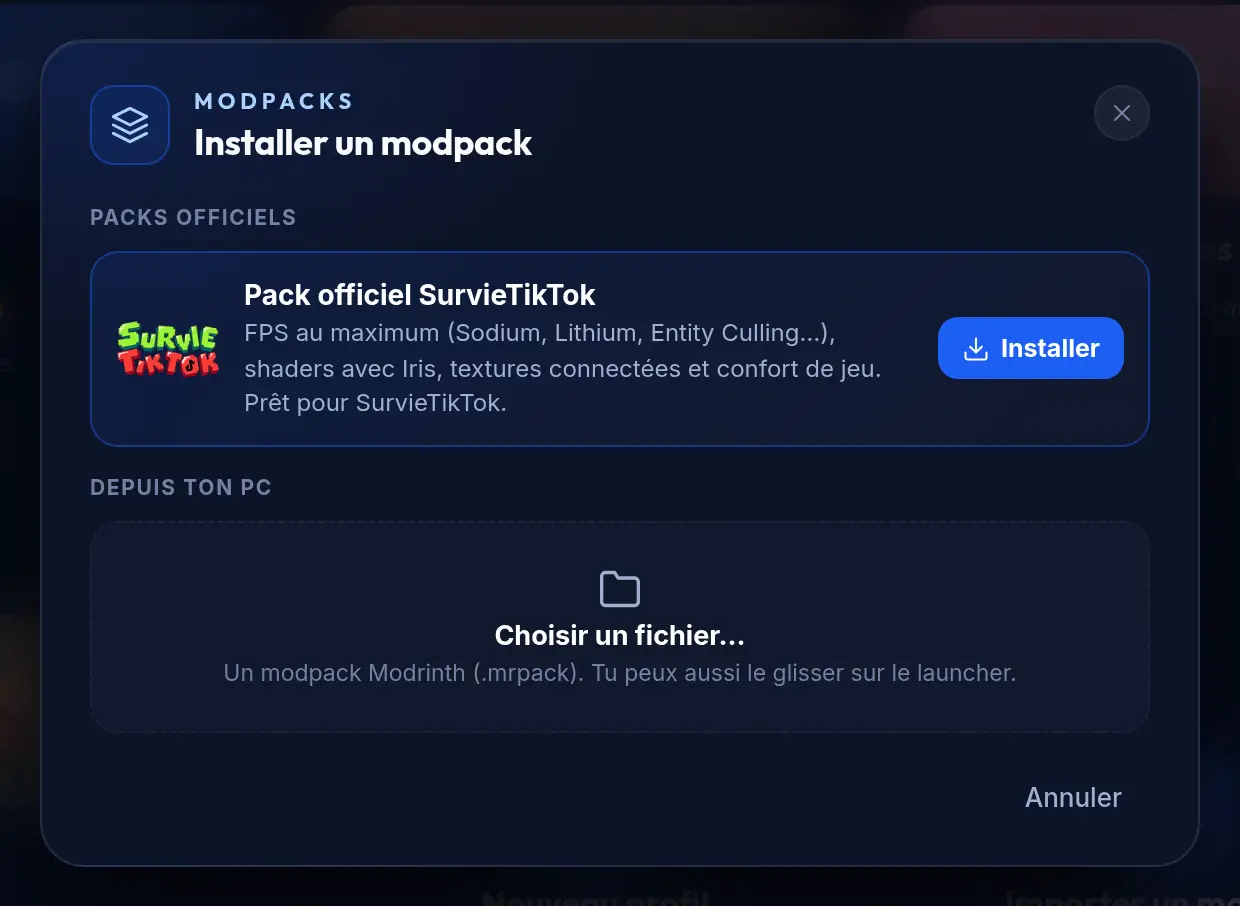
  • Official SurvieTikTok pack: 15 ready-to-play mods, including Sodium, Lithium and Iris

Content provided by Modrinth and its creators. OkaClient is not affiliated with Modrinth.

Discover: Modrinth shader catalog in the launcher
Discover: Modrinth's shaders
"Install a modpack" window: official SurvieTikTok pack or a .mrpack file
One modpack, one click

Security

Safe by default. And we tell you exactly how.

Built-in anti-cheat

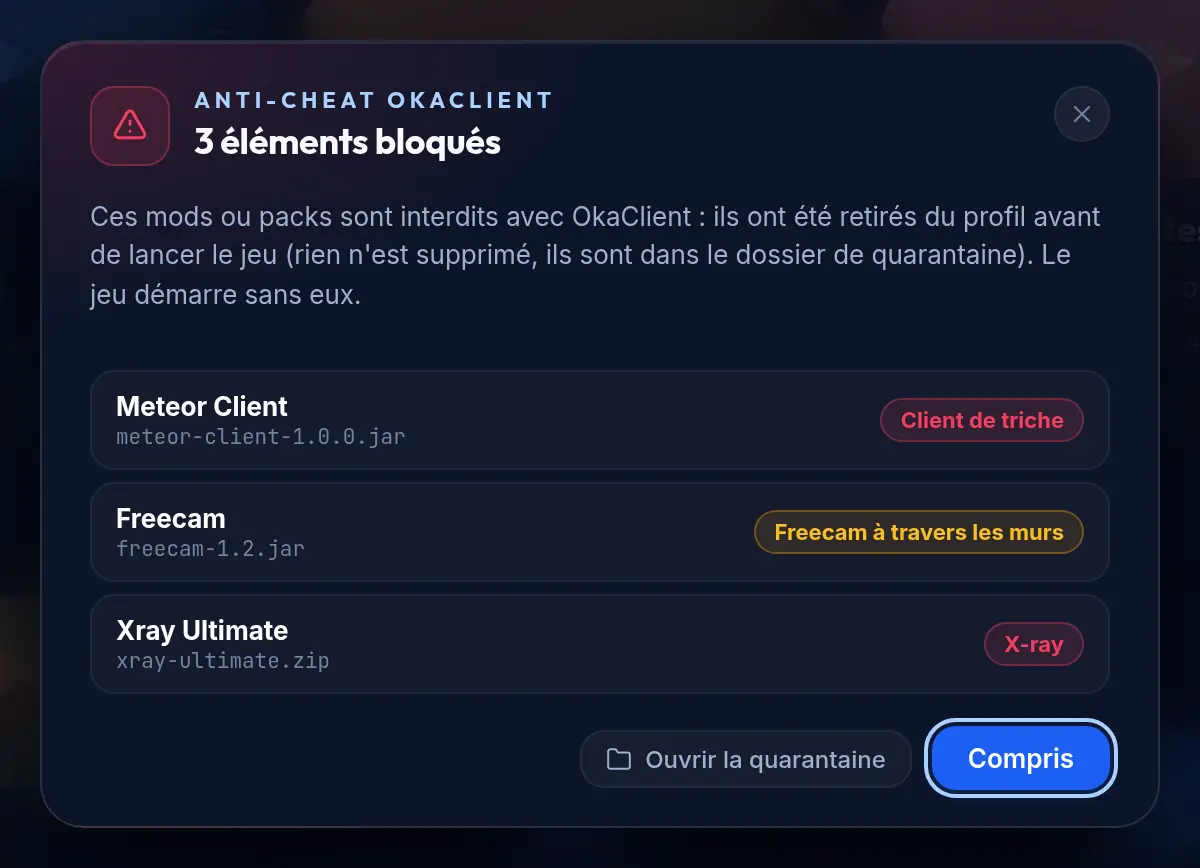
Before every launch, the launcher checks the profile's mods, packs and shaders. Cheat clients, x-ray and wall-hack freecams are quarantined: nothing gets deleted, everything is listed. The mod runs the check again when the game starts, then every 15 seconds.

Signed updates

Every launcher and mod update is described in a signed manifest (Ed25519). The launcher checks the signature, the size and the SHA-256 fingerprint before installing anything.

Verified files

Modrinth mods checked with SHA-512, Java and game files checked against their fingerprint, everything over HTTPS. An interrupted download never leaves a half-written file behind.

Your account, protected

Microsoft sign-in in your browser, tokens encrypted by your operating system, and tools that inject themselves into Java are blocked when the game launches.

"OkaClient anti-cheat" window: three items blocked and quarantined before launch
Blocked before the game even starts

Anonymous statistics, your choice

No third-party tracking tool, and this website has no cookies and no trackers. OkaClient only sends anonymous statistics (versions, system, features used), with no username and no IP address: you can turn it all off in Settings.

No client-side anti-cheat is unbreakable: OkaClient is a first line of defense, and servers keep their own.

Partner servers

Your favorite servers, one click away.

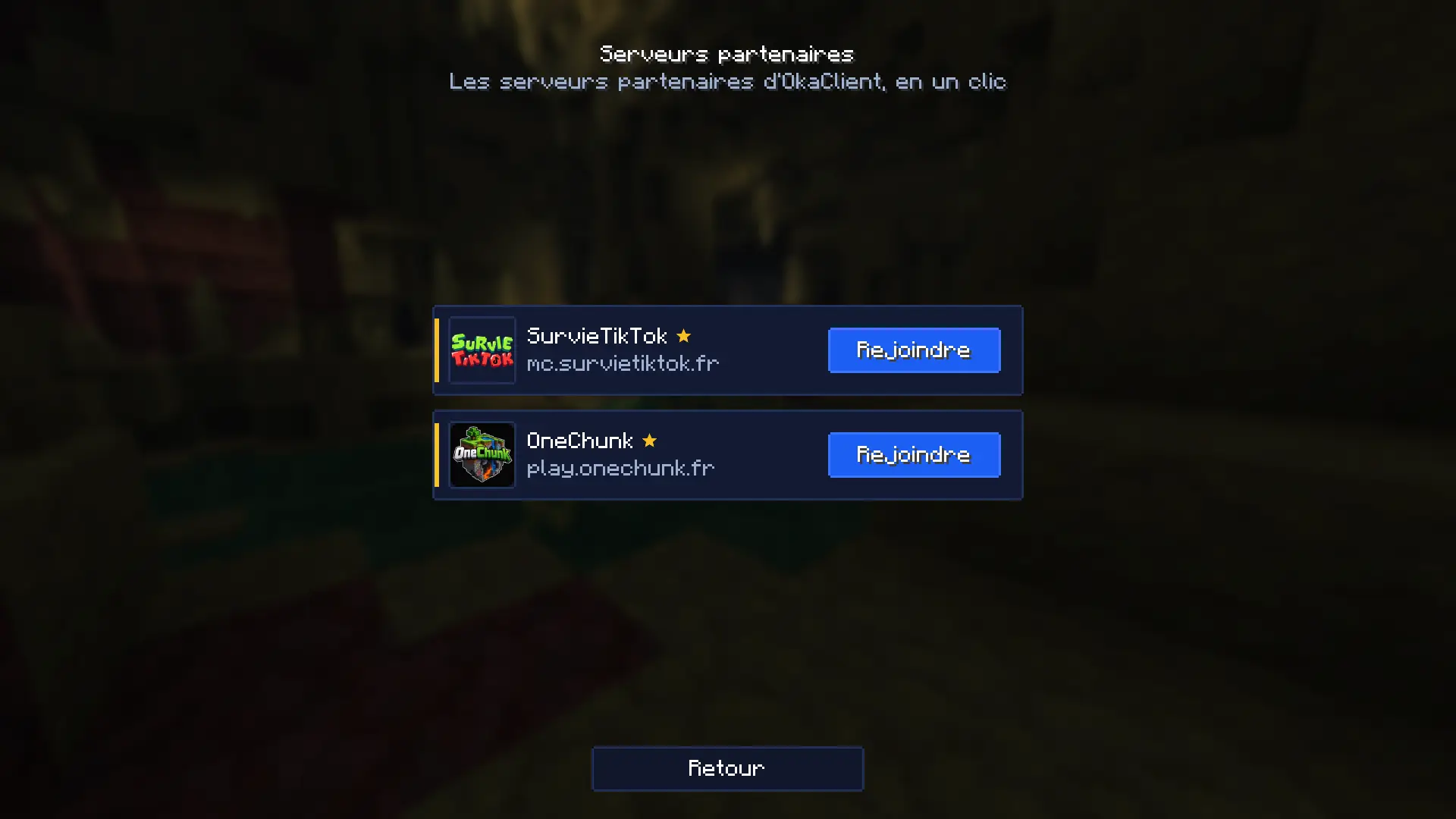
Live status in the launcher, a Join button that starts the game and connects you, servers pinned at the top of the multiplayer list and shown on your Discord status.

  • SurvieTikTok mc.survietiktok.fr
  • OneChunk play.onechunk.fr

Run a server? Tell us about it on Discord. (new tab)

"Partner servers" screen in game
The partners, in game too

Download

Download once. OkaClient keeps itself up to date.

The launcher and the mod update themselves: you download once, and that's it.

System requirements

  • Windows 10 or 11, 64-bit
  • macOS 12 Monterey or later (Apple Silicon or Intel)
  • Linux 64-bit: Ubuntu 18.04, Debian 10, Fedora 32 or later
  • Java: nothing to install, OkaClient takes care of it
  • An internet connection to install versions, mods and updates

Updates

  • Windows and AppImage: the launcher updates itself, and the mod follows the next time you start the game.
  • .deb package: the update opens in your package manager, you just confirm it.
  • macOS: updates are built into the launcher.
  • Every update is verified before it gets installed: signature, size and SHA-256.

What's new in each version

Windows says "Windows protected your PC"?

That's expected for now: the OkaClient installer isn't signed with a certificate yet, so SmartScreen doesn't recognize it. Click "More info", then "Run anyway". If you want to be sure about the file, compare its SHA-256 fingerprint with the one on this page.

macOS won't open OkaClient?

The app isn't signed by Apple yet. Right-click OkaClient, then choose "Open". If macOS says the app is damaged, type this in the Terminal:

xattr -dr com.apple.quarantine /Applications/OkaClient.app
Verify a file

Compare the fingerprint your system shows with the SHA-256 on this page:

Windows (PowerShell)
Get-FileHash .\OkaClient-…-setup.exe -Algorithm SHA256
macOS
shasum -a 256 OkaClient-….dmg
Linux
sha256sum OkaClient-….AppImage

Licenses

The OkaClient launcher and mod are proprietary software: © OkaClient, all rights reserved. The open-source components they use are listed under Licenses and credits.

Licenses and credits

A question? An idea for a module?

Release announcements, help and ideas: it all happens on OkaClient's Discord.

Join the Discord (new tab)

FAQ

Frequently asked questions about OkaClient.

Is OkaClient free?

Yes. The OkaClient launcher and mod are free, on Windows, macOS and Linux.

Can I play without a premium account (non‑premium)?

Yes. Pick a username: you can play single player and on non‑premium servers. For premium servers and your official skin, sign in with your Microsoft account. You can keep several accounts, premium and non‑premium, and switch between them in one click, even in game.

Which Minecraft versions are supported?

The launcher installs Minecraft Java versions with Vanilla, Fabric and Forge in one click (snapshots optional); NeoForge and Quilt come with modpacks. The OkaClient mod runs on 33 versions, from 1.8.9 to 26.3: 1.8.9 and 1.12.2 with Legacy Fabric, then 1.16.4 to 26.3 with Fabric.

Every supported version

Does OkaClient work on Mac and Linux?

Yes. Windows 10 and 11 (64-bit), macOS 12 Monterey or later (Apple Silicon and Intel), and 64-bit Linux (AppImage, .deb package or .tar.gz archive). No need to install Java: OkaClient downloads the right Java for your Minecraft version.

Does it boost FPS?

OkaClient does what actually helps: memory and garbage collector (ZGC or G1) tuned for your PC, performance mods offered on first launch (Sodium, Lithium, FerriteCore, Entity Culling, ImmediatelyFast, Dynamic FPS) and an in-game performance mode. The gain depends on your PC and your mods: we don't promise a number.

Is the OkaClient mod cheating? Can I get banned?

It isn't cheating. The minimap shows the terrain with no radar, no players and no caves; the freecam doesn't go through blocks and your character can't do anything while you use it; coordinates are hidden when the server requires it. A server can also turn off any module for its own game. As with any client, follow each server's rules.

What's the difference with Lunar Client or Badlion Client?

Like them, OkaClient adds PvP and quality-of-life modules in game: HUD, CPS, keystrokes, zoom, custom crosshair… On top of that, it accepts premium and non‑premium accounts, installs Fabric, Forge and Modrinth content in separate profiles, and its mod runs from 1.8.9 to 26.3. OkaClient is not affiliated with Lunar Client or Badlion Client.

Every feature

Is OkaClient safe? Windows blocks the installer…

Every update is signed (Ed25519) and verified before it gets installed, and the download section shows the SHA-256 fingerprint of every file. Windows shows "Windows protected your PC" because the installer isn't signed with a certificate yet: click "More info", then "Run anyway".

Do I keep my mods, shaders and resource packs?

Yes. Each profile has its own folder: its version, mods, settings and worlds. Modrinth is built into the launcher (Fabric, Forge, NeoForge or Quilt mods, shaders, resource packs, data packs, .mrpack modpacks) and the OkaClient mod is added to Fabric profiles, compatible with Sodium, Lithium and friends. When the anti-cheat blocks a file, it quarantines it: nothing gets deleted.

What are partner servers?

Servers featured in the launcher and in game, with their live status and a Join button that starts the game and connects you: SurvieTikTok (mc.survietiktok.fr) and OneChunk (play.onechunk.fr). Got a server? Talk about it on the Discord.

See the partner servers

How do updates work?

Automatically on Windows and with the AppImage: the launcher checks for new versions, downloads them, verifies the signature and the fingerprint, then installs them; the mod follows the next time you start the game. The .deb package just asks you to confirm, and on Mac updates are built into the launcher.

What's new in each version

Does OkaClient collect my data?

Only anonymous statistics, to know how many players use OkaClient, on which versions and with which features: no username, no IP address, and you can turn them off in Settings › Send anonymous statistics. While you play online, the OkaClient badge sends your username and UUID to OkaClient's service. A crash report is only sent if you click to share it. This website has no cookies and no trackers.

All the details: privacy

Where do I report a bug?

On OkaClient's Discord. If the game crashes, the launcher's diagnostics put together a report you can share, without your sign-in tokens.

Community

Join the community.

Release announcements, help, module ideas: meet the players and the team on Discord.

Join the Discord (new tab)